Skip to content
View in the app

A better way to browse. Learn more.

BariatricPal

A full-screen app on your home screen with push notifications, badges and more.

To install this app on iOS and iPadOS
  1. Tap the Share icon in Safari
  2. Scroll the menu and tap Add to Home Screen.
  3. Tap Add in the top-right corner.
To install this app on Android
  1. Tap the 3-dot menu (⋮) in the top-right corner of the browser.
  2. Tap Add to Home screen or Install app.
  3. Confirm by tapping Install.

one more try...

  • Replies 17
  • Views 1.2k
  • Created
  • Last Reply

Featured Replies

Click on your name in the top right corner of the screen, choose 'my settings' and a screen will pop up with an option to change/upload a photo.

Unless you have a lame iPad like I do and it won't post pics.

Are you on a phone app?

If you are go to the bottom and on the far right click on the "more" icon that will bring up anther page. On that page click on "profile" when you get to your profile click the blank avatar and then it will prompt you on how to do it.

  • Author
Are you on a phone app?

If you are go to the bottom and on the far right click on the "more" icon that will bring up anther page. On that page click on "profile" when you get to your profile click the blank avatar and then it will prompt you on how to do it.

[ATTACH]14402[/ATTACH]

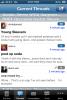
I am on a phone app.i don't see something that says "more".

post-55477-13813666885709_thumb.png

How do you post a freakin profile picture in here?

I've had it explained to me over and over and over. I'm beginning to like my look. :rolleyes:

BTW: Not sure if you noticed, but we seem to look a bit alike. :D

I've had it explained to me over and over and over. I'm beginning to like my look. :rolleyes:

BTW: Not sure if you noticed' date=' but we seem to look a bit alike. :D[/quote']

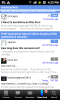
Does you app look the same as hers???

Mine

post-43821-13813666886078_thumb.jpg

Does you app look the same as hers???

Mine

post-43821-13813666886078_thumb.jpg

Nope. I'm not on a laptop but notebook type thingy. That might give you a clue why success at the pic this has eluded me thus far. sigh... :wacko:

Nope. I'm not on a laptop but notebook type thingy. That might give you a clue why success at the pic this has eluded me thus far. sigh... :wacko:

I thought you were just dumb all this time!!

:P

PRETTY ( as per your picture) but dumb :D

I thought you were just dumb all this time!!

:P

PRETTY ( as per your picture) but dumb :D

Who me? Dumb? Heck no!

Stupid? Hell yes! Especially when it comes to electronics! I can finally admit it. There is a reason my husband calls me the user from hell! :P

Got it

Well ladefreikenda! :P

We don't so much alike anymore. :(

Awesome! Good job. :) see that newat52? :P

Sniff sniff.... :(

It's ok....really.....sigh....

Archived

This topic is now archived and is closed to further replies.

Trending Products

PatchAid Vitamin Patches

Account

Navigation

Search

Search

Configure browser push notifications

Chrome (Android)
  1. Tap the lock icon next to the address bar.
  2. Tap Permissions → Notifications.
  3. Adjust your preference.
Chrome (Desktop)
  1. Click the padlock icon in the address bar.
  2. Select Site settings.
  3. Find Notifications and adjust your preference.