Skip to content
View in the app

A better way to browse. Learn more.

BariatricPal

A full-screen app on your home screen with push notifications, badges and more.

To install this app on iOS and iPadOS
  1. Tap the Share icon in Safari
  2. Scroll the menu and tap Add to Home Screen.
  3. Tap Add in the top-right corner.
To install this app on Android
  1. Tap the 3-dot menu (⋮) in the top-right corner of the browser.
  2. Tap Add to Home screen or Install app.
  3. Confirm by tapping Install.

Drop some Motivation here

  • Replies 25
  • Views 3k
  • Created
  • Last Reply

Featured Replies

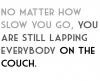
Here's mine!! My ten year reunion is coming up!! Lol

post-50003-13813664647641_thumb.jpg

post-50831-13813664648399_thumb.jpg

Here's mine!! My ten year reunion is coming up!! Lol

LOL Nice!

  • Author
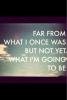
Hi here is mine.

Working out in the morning is such a great way to start the day. Now I just have to get my ass out of the bed!!

Pics don't do much for me at all, but some videos on youtube are amazing and worth checking out.

If you like some of these videos, there should be tons more show up on the right side of youtube to view. Anything from Muscle Factory or Zhasni is phenomenal. I've got several MP3's of these videos put together that I listen to while at the gym if anyone wants those I can email them. I have about 3 hours worth of motivational stuff and the sound of metal weight being thrown around.

http://www.youtube.com/watch?v=1TeQpXPY9nQ

Be aware, there are some videos that have potty mouths!!!!

The pics and stuff aren't all what get me pumped for the gym, it's the background, the yelling, the weights clanking, and the motivational quotes and such. EVERY single person in the videos preaches on one subject, busting your ass, hard work, and getting it done NO MATTER WHAT.

This is probably my absolute favorite one so far.

Mark

Congrats on your weight loss. How much have you loss since the sleeve and what do you eat. I was sleeve 2/27 and lost 32 lbs so far.

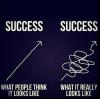
Found another one! Haha!

Yes... I'm kind of a nerd!!

post-50003-13813664655121_thumb.jpg

Archived

This topic is now archived and is closed to further replies.

Trending Products

PatchAid Vitamin Patches

Account

Navigation

Search

Search

Configure browser push notifications

Chrome (Android)
  1. Tap the lock icon next to the address bar.
  2. Tap Permissions → Notifications.
  3. Adjust your preference.
Chrome (Desktop)
  1. Click the padlock icon in the address bar.
  2. Select Site settings.
  3. Find Notifications and adjust your preference.