Skip to content
View in the app

A better way to browse. Learn more.

BariatricPal

A full-screen app on your home screen with push notifications, badges and more.

To install this app on iOS and iPadOS
  1. Tap the Share icon in Safari
  2. Scroll the menu and tap Add to Home Screen.
  3. Tap Add in the top-right corner.
To install this app on Android
  1. Tap the 3-dot menu (⋮) in the top-right corner of the browser.
  2. Tap Add to Home screen or Install app.
  3. Confirm by tapping Install.

55 pounds gone

  • Replies 8
  • Views 990
  • Created
  • Last Reply

Featured Replies

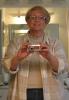
Congrats!!! You look amazingly great!!! Keep up the hard work! ;)

You look so beautiful!

great work! very inspiring :)

You look wonderful, brilliant smile in both pics but what a huge difference you've made!

Down 55 pounds

Crooker

"amazing, beautiful, wonderful"

yada yada yada :angry:

don't you get sick of hearing those things???? :angry:

suck it up!!! :lol:

you are gonna hear a lot more compliments while we see less and less of you!!! :)

great pictures - what a success

good luck today, tomorrow and always in your healthier, happier, longer life :)

congrats :)

Wow!! Looking much younger & your smile shines much more. Your chin area/ neck looks much more defined too!

Keep it up!!!

A biggggg change. Ur looking great.

GRATEFUL N THANKFUL

Wow! What a difference! You look great!

Archived

This topic is now archived and is closed to further replies.

Trending Products

PatchAid Vitamin Patches

Account

Navigation

Search

Search

Configure browser push notifications

Chrome (Android)
  1. Tap the lock icon next to the address bar.
  2. Tap Permissions → Notifications.
  3. Adjust your preference.
Chrome (Desktop)
  1. Click the padlock icon in the address bar.
  2. Select Site settings.
  3. Find Notifications and adjust your preference.