Skip to content
View in the app

A better way to browse. Learn more.

BariatricPal

A full-screen app on your home screen with push notifications, badges and more.

To install this app on iOS and iPadOS
  1. Tap the Share icon in Safari
  2. Scroll the menu and tap Add to Home Screen.
  3. Tap Add in the top-right corner.
To install this app on Android
  1. Tap the 3-dot menu (⋮) in the top-right corner of the browser.
  2. Tap Add to Home screen or Install app.
  3. Confirm by tapping Install.

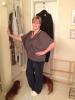
NSV: size 16!

in onederland and size 16.

post-38363-13813661408148_thumb.jpg

  • Replies 23
  • Views 1.8k
  • Created
  • Last Reply

Featured Replies

Awesome! Congratulations!

  • Author

Thanks everyone!! I love the support on here. This IS hard work and nobody 'gets it' like fellow sleevers.

I need to find a good thrift shop, Goodwill here is not that great. Thanks for the advice!!

Congratulations! I to bought my first pair of 16s! It was glorious! Do u have a clothes mentor near you? I just took some clothes there and made $40!

It's a high class goodwill, lol!

  • Author
Congratulations! I to bought my first pair of 16s! It was glorious! Do u have a clothes mentor near you? I just took some clothes there and made 40!

It's a high class goodwill' date=' lol![/quote']

Congrats for you too!!! It is glorious!! :-)

Clothes Mentor? Is that what it's named? I'll goggle it. Thank you!!

  • Author
Ebay is the best thrift shop. If you look through the junk you can find some good deals.

Really? It never dawned on me to look there for clothes! Thanks!

Really? It never dawned on me to look there for clothes! Thanks!

Yes or find a thrift shop in an affluent area. It also gets easier to get nice stuff the smaller you get. At least this has been my experience.

in onederland and size 16.

They actually look to big but congrats try a 14

MaryLynn

Archived

This topic is now archived and is closed to further replies.

Trending Products

PatchAid Vitamin Patches

Account

Navigation

Search

Search

Configure browser push notifications

Chrome (Android)
  1. Tap the lock icon next to the address bar.
  2. Tap Permissions → Notifications.
  3. Adjust your preference.
Chrome (Desktop)
  1. Click the padlock icon in the address bar.
  2. Select Site settings.
  3. Find Notifications and adjust your preference.