Skip to content
View in the app

A better way to browse. Learn more.

BariatricPal

A full-screen app on your home screen with push notifications, badges and more.

To install this app on iOS and iPadOS
  1. Tap the Share icon in Safari
  2. Scroll the menu and tap Add to Home Screen.
  3. Tap Add in the top-right corner.
To install this app on Android
  1. Tap the 3-dot menu (⋮) in the top-right corner of the browser.
  2. Tap Add to Home screen or Install app.
  3. Confirm by tapping Install.

Pictures!

  • Replies 24
  • Views 2.8k
  • Created
  • Last Reply

Featured Replies

Way to go! Hope I can achieve such wonderful results. :)

Before surgery at 251' date=' at three months 200!

[/quote']

Wow!!! You look awesome! Like a teenager !

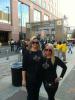
Thank you all so much. I'm on the left in both pictures. I really don't exercise much. I need to start. I'm in a stall and needed encouragement today! Thanks for the nice comments!

Roflmao- yes in one picture it's pretty obvious which is you ;-)

U look.great! Who was ur surgeon..im in New Orleans as well...who dat!

We started at the same weight, I'm 5'8 1/2. I had my surgery 11/28 16 days ago and I have lost 26 lbs. I hope I can reach 50 in three months. You look amazing!! I don't know your age but you look 15 years younger!! Great job keep it up!

Wow! This is inspiration for me!!! I am a week post op and needed this motivation! Thank you and you look amazing!

Sent from my iPhone using VST

Wow! This is inspiration for me!!! I am a week post op and needed this motivation! Thank you and you look amazing!

Sent from my iPhone using VST

What she said. :D

You look fantastic!! Thanx for sharing, and much continued success!!

Archived

This topic is now archived and is closed to further replies.

Trending Products

PatchAid Vitamin Patches

Account

Navigation

Search

Search

Configure browser push notifications

Chrome (Android)
  1. Tap the lock icon next to the address bar.
  2. Tap Permissions → Notifications.
  3. Adjust your preference.
Chrome (Desktop)
  1. Click the padlock icon in the address bar.
  2. Select Site settings.
  3. Find Notifications and adjust your preference.