Skip to content
View in the app

A better way to browse. Learn more.

BariatricPal

A full-screen app on your home screen with push notifications, badges and more.

To install this app on iOS and iPadOS
  1. Tap the Share icon in Safari
  2. Scroll the menu and tap Add to Home Screen.
  3. Tap Add in the top-right corner.
To install this app on Android
  1. Tap the 3-dot menu (⋮) in the top-right corner of the browser.
  2. Tap Add to Home screen or Install app.
  3. Confirm by tapping Install.

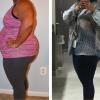
35Lbs In 6 Weeks

  • Replies 4
  • Views 802
  • Created
  • Last Reply

Top Posters In This Topic

Featured Replies

Sounds great to me...that is about 5.8lbs a week. You may hit a stall or you may not. There are tons of threads out about this and you seem to be doing quite well especially if you haven't stalled.

That's amazing weight loss. You'll see about 2 LBS per week being the "norm" as I've observed from viewing all the postings. Remember it took you years to get to your highest number, even with surgery It's not going to disappear overnight. And you still gotta work at it.

Healthy diet,

Exercise

All that good stuff.

Kuddos on the progress so far. Pretty awesome!

You are doing fabulous! Remember, never compare yourself to others, some may lose faster, some may lose slower. For instance, I am the world's slowest loser, but I am okay with that, so long as I don't gain. Our bodies are all different, and how fast or slow we lose weight depends on a great many factors. Look at it this way, if you hadn't had the surgery, how much weight would you have lost? Like I said, you are doing absolutely fabulous, congratulations.

Join the conversation

You can post now and register later. If you have an account, sign in now to post with your account.

Guest
Reply to this topic...

Trending Products

PatchAid Vitamin Patches

Account

Navigation

Search

Search

Configure browser push notifications

Chrome (Android)
  1. Tap the lock icon next to the address bar.
  2. Tap Permissions → Notifications.
  3. Adjust your preference.
Chrome (Desktop)
  1. Click the padlock icon in the address bar.
  2. Select Site settings.
  3. Find Notifications and adjust your preference.