




50 Lbs Down!
- Replies 19
- Views 2.2k
- Created
- Last Reply
Top Posters In This Topic
-
Amytequilahouse 3 posts
-
Star1221 1 post
-
Wolfgirl1978 1 post
-
Looking Ahead 1 post




Popular Days
Most Popular Posts
-
You go girl! You are doing great!
-
Thanks ! I passed 50 already lol feeling amazing
-
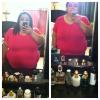
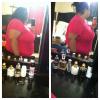
Sleeved on Monday. Today I am up, dresses, hair and make up done. Still have pain in the incision but I can handle it. Lol. Highest weight when I started this journey in July was 311. Went down to 299


Posted Images
Featured Replies
Join the conversation
You can post as a guest; create a free account to track replies, follow topics, and be part of the largest weight loss surgery community.
K feeling pretty damn awesome 50 lbs down 1 month out
  Cant wait to hit the 200s again. Only 43 more to go!! I got this.