Skip to content
View in the app

A better way to browse. Learn more.

BariatricPal

A full-screen app on your home screen with push notifications, badges and more.

To install this app on iOS and iPadOS
  1. Tap the Share icon in Safari
  2. Scroll the menu and tap Add to Home Screen.
  3. Tap Add in the top-right corner.
To install this app on Android
  1. Tap the 3-dot menu (⋮) in the top-right corner of the browser.
  2. Tap Add to Home screen or Install app.
  3. Confirm by tapping Install.

technical problems w/this site?

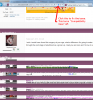
Hello :) Whenever I start a new topic or read others topics-well when I scroll down to the bottom of the page to read the rest of the replies the replies are all squished up and unreadable....it looks as if the replies are overlapping so I am unable to finish reading it. Anybody know how to fix this? Thanks!

  • Replies 11
  • Views 1.9k
  • Created
  • Last Reply

Top Posters In This Topic

Most Popular Posts

  • Alex Brecher
    Alex Brecher

    For the best browsing experience as well as computer security, your best option would really be to upgrade to the latest version of the browser you're using. Here are links you can use to upgrade:

Posted Images
Featured Replies

I notice this too and I was thinking about making a post too!

I have no answers for you (sorry), but I thought I would take the opportunity to vent my frustrations as well. Not only can we not read the scrambled mess at the bottom of the more lengthy posts, but we can not reply to them either.

:banghead:

Well the great thing about it, is that it's not just our computers. I guess, someone will fix the problems soon. :banghead:

Hello, if you are experiencing this issue, may you provide your Browser and version? (For example: Internet Explorer version 9)

From Internet Explorer you can click "About Internet Explorer" from the menu (may be under Help sub-menu) and it will show the version you have.

From Firefox click on "About Firefox" from the Help sub-menu to find the version. Other browsers usually have the same type of version information in the same place (if you are using Chrome, Opera, etc.)

Thanks :smile1:

It says I have Internet Explorer 9

Hi, to fix this problem, please turn off "Compatibility View" in IE9.

Here is a screenshot that shows where the icon is located and instructions to turn off:

post-63582-13813668771825_thumb.jpg

If you don't see the button, please try this:

Right click on the tools icon in the upper right (the gear), choose command bar. A new toolbar should appear with several icons and Page, Safety and Tools. Click on the Tools menu, compatibility view and compatibility view settings should be listed.

Note:

If your computer is part of a network at an organization such as a school, government agency, or a business, your organization's system administrator might have turned on Compatibility View for all websites by using Group Policy. In this case, you may not be able to change this setting.

Please let me know if this resolves the issue you are experiencing. Thank you :smile1:

post-16439-13813657879246_thumb.png

i dont have the squiggly icon on my page...what else can i do to fix this?

If you don't see the button, please try this:

Right click on the tools icon in the upper right (the gear), choose command bar. A new toolbar should appear with several icons and Page, Safety and Tools. Click on the Tools menu, compatibility view and compatibility view settings should be listed.

Note:

If your computer is part of a network at an organization such as a school, government agency, or a business, your organization's system administrator might have turned on Compatibility View for all websites by using Group Policy. In this case, you may not be able to change this setting.

For the best browsing experience as well as computer security, your best option would really be to upgrade to the latest version of the browser you're using. Here are links you can use to upgrade:

Internet Explorer

Chrome

Mozilla Firefox

Apple Safari

I had the same problem and tried the fix "Alex" suggests. It worked like a charm! Of course, those of you who still have the trouble reading the posts will probably not be able to read this one. I could not read the solution until I clicked on the button to reply and then scrolled down and I could read all the posts.

Good luck and I hope you can read how to fix this - ahhh, less frustration is always a good thing!

Join the conversation

You can post now and register later. If you have an account, sign in now to post with your account.

Guest
Reply to this topic...

Trending Products

PatchAid Vitamin Patches

Account

Navigation

Search

Search

Configure browser push notifications

Chrome (Android)
  1. Tap the lock icon next to the address bar.
  2. Tap Permissions → Notifications.
  3. Adjust your preference.
Chrome (Desktop)
  1. Click the padlock icon in the address bar.
  2. Select Site settings.
  3. Find Notifications and adjust your preference.