Skip to content
View in the app

A better way to browse. Learn more.

BariatricPal

A full-screen app on your home screen with push notifications, badges and more.

To install this app on iOS and iPadOS
  1. Tap the Share icon in Safari
  2. Scroll the menu and tap Add to Home Screen.
  3. Tap Add in the top-right corner.
To install this app on Android
  1. Tap the 3-dot menu (⋮) in the top-right corner of the browser.
  2. Tap Add to Home screen or Install app.
  3. Confirm by tapping Install.

My first NSVs

Hello,

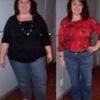
I was sleeved on 8/8 and I have had two NSV yesterday that I wanted to share:

1. My sister was away during my surgery and when she came to see me she said I look like one of my high school pictures. I am starting to look younger…Yea!!!!

2. Yesterday, I went for a walk with my husband and after the walk we sat in the love chair on the front porch. A few weeks ago, we would not have been able to fit.

I don’t have a tracker…so I will share my stats: I started out at 245, I was 225 the day of surgery and I am 209 now.

Thanks for reading,

Toyia

  • Replies 5
  • Views 830
  • Created
  • Last Reply

Top Posters In This Topic

Featured Replies

I love it that you shared those NSVs with everyone. It's always my fear that I will break a lawn chair. Hopefully my hubby and I will share a loveseat soon. Keep after it--you are doing great!

That's great!! I am looking forward to having some NSVs too. :)

Outstanding Toyia,

I just waiting for the call from Dr. Cantors office..... I try to keep busy it will be two months the first week of September.

Im so happy for you, how did u feel after surgery

Ann

Join the conversation

You can post now and register later. If you have an account, sign in now to post with your account.

Guest
Reply to this topic...

Trending Products

PatchAid Vitamin Patches

Account

Navigation

Search

Search

Configure browser push notifications

Chrome (Android)
  1. Tap the lock icon next to the address bar.
  2. Tap Permissions → Notifications.
  3. Adjust your preference.
Chrome (Desktop)
  1. Click the padlock icon in the address bar.
  2. Select Site settings.
  3. Find Notifications and adjust your preference.