Skip to content
View in the app

A better way to browse. Learn more.

BariatricPal

A full-screen app on your home screen with push notifications, badges and more.

To install this app on iOS and iPadOS
  1. Tap the Share icon in Safari
  2. Scroll the menu and tap Add to Home Screen.
  3. Tap Add in the top-right corner.
To install this app on Android
  1. Tap the 3-dot menu (⋮) in the top-right corner of the browser.
  2. Tap Add to Home screen or Install app.
  3. Confirm by tapping Install.

Virtual Model

  • Replies 41
  • Views 6.5k
  • Created
  • Last Reply

Top Posters In This Topic

Posted Images

Featured Replies

  • 1 month later...

Bumpity bump

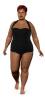
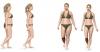
@ 240lbs, my belly never looked that good

weighchange2.jpg

  • 1 month later...

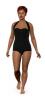
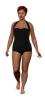
Here are mine. I changed outfits at the end because I like blue better. Now, if I could only get my model to strut. I will certainly be strutting when I make to my goal.

VirtualMotivationFRONT.jpg

VirtualMotivationSIDE.jpg

That's really cool, I wish I could get it to work. I go to the website, click on new user, pick the features that describe me and continue and it just takes me back to the sign in page nothing happens??? Is there any trick to it? :phanvan

Michlete,

I don't know if there is a trick to it, what specific weblink did you use. I used the one from Prevention magazine.

I tried Prevention, Levi's and Glamour and none of them work. Actually I think I finally registered but now when I click the sign in for a returning user I type my user name and password and nothing happens???? I really want it to work but I guess I just can't do it.

  • 2 years later...

Join the conversation

You can post now and register later. If you have an account, sign in now to post with your account.

Guest
Reply to this topic...

Trending Products

PatchAid Vitamin Patches

Account

Navigation

Search

Search

Configure browser push notifications

Chrome (Android)
  1. Tap the lock icon next to the address bar.
  2. Tap Permissions → Notifications.
  3. Adjust your preference.
Chrome (Desktop)
  1. Click the padlock icon in the address bar.
  2. Select Site settings.
  3. Find Notifications and adjust your preference.