Skip to content
View in the app

A better way to browse. Learn more.

BariatricPal

A full-screen app on your home screen with push notifications, badges and more.

To install this app on iOS and iPadOS
  1. Tap the Share icon in Safari
  2. Scroll the menu and tap Add to Home Screen.
  3. Tap Add in the top-right corner.
To install this app on Android
  1. Tap the 3-dot menu (⋮) in the top-right corner of the browser.
  2. Tap Add to Home screen or Install app.
  3. Confirm by tapping Install.

I hit ONE-derland!!

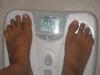
I hit a BIG goal today!!! I'm actually below 200 lbs. for the first time in 10 years!!! :faint:

post-204296-13813133520563_thumb.jpg

I am so EXCITED!! I think I'll go buy myself a new outfit!! :) I'll have to put it on & model it for ya'll. Be prepared for pictures soon!!!

post-204836-13813133312414_thumb.jpg

  • Replies 49
  • Views 3.7k
  • Created
  • Last Reply

Top Posters In This Topic

Posted Images

Featured Replies

Don't Stop.. Get It Get It...

That's What Im Talk'n Bout. Congratulations On Your Onderland Success....

Now Keep Goin Warrior!

P.S. nice lil tan you got there.

  • Author

WOW!! You guys are fast!!!! I left my chair to go get ready for my big shopping trip & look how many posts there are here!!

YOU GUYS ARE THE BEST!! I just love this place. :biggrin1: :biggrin1: :biggrin1: :biggrin1:

I'm heading out the door & when I return, I'll have new clothes in my hand & a husband with a camera waiting to take pictures. See you all very, very soon!!!!!

I love Lapbandtalk!!!!!

Caaaayooooot toes-ies!!!! Well done and Congratulations!!! Feels so good, don't it?! You know what's even better? You'll be shooting for "below 190" then "below 180" then "below 170"!!!! It gets better and better! Don't freak out if you see 200 again on a day or two...it's the normal up and down. You did it!!! It's gone for GOOD!!!! Yippeeee!!!

(Taps her fingers... anxiously awaiting updated onderland photos of the Chef)

Join the conversation

You can post now and register later. If you have an account, sign in now to post with your account.

Guest
Reply to this topic...

Trending Products

PatchAid Vitamin Patches

Account

Navigation

Search

Search

Configure browser push notifications

Chrome (Android)
  1. Tap the lock icon next to the address bar.
  2. Tap Permissions → Notifications.
  3. Adjust your preference.
Chrome (Desktop)
  1. Click the padlock icon in the address bar.
  2. Select Site settings.
  3. Find Notifications and adjust your preference.