Skip to content
View in the app

A better way to browse. Learn more.

BariatricPal

A full-screen app on your home screen with push notifications, badges and more.

To install this app on iOS and iPadOS
  1. Tap the Share icon in Safari
  2. Scroll the menu and tap Add to Home Screen.
  3. Tap Add in the top-right corner.
To install this app on Android
  1. Tap the 3-dot menu (⋮) in the top-right corner of the browser.
  2. Tap Add to Home screen or Install app.
  3. Confirm by tapping Install.

just saw this

  • Replies 12
  • Views 1.1k
  • Created
  • Last Reply

Featured Replies

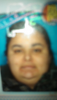
You have a beautiful chin!

congratulations on your success so far.

Holy Cow, you look so much younger! You don't look like the same person! Congratulations!

You look 7-8 years younger! Way to go.

Best wishes

Congrats in the 44lbs.

You look great!! Congrats!!

Major congrats...you look awesome! I lost one of my china and have only two more to go! :-D

  • Author

The thing that I hate most about gaining weight was my face. I don't know if you can relate but looking in the mirror at my face I didn't see myself. I mean who was this girl? She was a total stranger! Why was she trying to take over! I am going to get rid of her! I'm going to win no matter what! :)

Just beautiful!! Well done you look great.

Archived

This topic is now archived and is closed to further replies.

Trending Products

PatchAid Vitamin Patches

Account

Navigation

Search

Search

Configure browser push notifications

Chrome (Android)
  1. Tap the lock icon next to the address bar.
  2. Tap Permissions → Notifications.
  3. Adjust your preference.
Chrome (Desktop)
  1. Click the padlock icon in the address bar.
  2. Select Site settings.
  3. Find Notifications and adjust your preference.