Skip to content
View in the app

A better way to browse. Learn more.

BariatricPal

A full-screen app on your home screen with push notifications, badges and more.

To install this app on iOS and iPadOS
  1. Tap the Share icon in Safari
  2. Scroll the menu and tap Add to Home Screen.
  3. Tap Add in the top-right corner.
To install this app on Android
  1. Tap the 3-dot menu (⋮) in the top-right corner of the browser.
  2. Tap Add to Home screen or Install app.
  3. Confirm by tapping Install.
  • Appearance

Join BariatricPal free

  • Ask your own questions
  • Reply and follow topics
  • Message other members
  • No cost, no spam

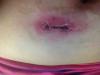
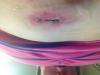
Does Fhis Look Infected?

THis is my port incision. It is really red around it but not hot to the touch. I feel a little pain in the area. Mostly because I had a stitch poking out and had to snip it. I will be 3 weeks post op on Monday

post-337123-13813140308312_thumb.jpg

post-337123-13813140308798_thumb.jpg

  • Replies 17
  • Views 1.5k
  • Created
  • Last Reply

Top Posters In This Topic

Most Popular Posts

  • Personal non medical opinion, looks like one angry incision. You could be on the cusp of an infection. Is it weeping, is there puss? Another thing to think of is that you could possibly be allergic to

  • If it gets worse go to the ER...until then, follow the cleaning instructions of farm girl...I would

  • Thanks for all the advice. Ok so I decided to make a visit to urgent care. I have a wound infection. They are putting me on strong antibiotics. They also told me to see my surgeon when he gets back to

Posted Images
Featured Replies

I'm so glad you went!

I was worried when I saw it! So glad you went in!! Good luck!! :)

Banded 8/20/2012 - Heaviest: 512 - Current: 461

Join the conversation

You can post as a guest; create a free account to track replies, follow topics, and be part of the largest weight loss surgery community.

Join the conversation

You can post now and register later. If you have an account, sign in now to post with your account.

Guest
Reply to this topic...

Account

Navigation

Search

Search

Configure browser push notifications

Chrome (Android)
  1. Tap the lock icon next to the address bar.
  2. Tap Permissions → Notifications.
  3. Adjust your preference.
Chrome (Desktop)
  1. Click the padlock icon in the address bar.
  2. Select Site settings.
  3. Find Notifications and adjust your preference.