



Skip to content
View in the app

A better way to browse. Learn more.

BariatricPal

A full-screen app on your home screen with push notifications, badges and more.

To install this app on iOS and iPadOS
  1. Tap the Share icon in Safari
  2. Scroll the menu and tap Add to Home Screen.
  3. Tap Add in the top-right corner.
To install this app on Android
  1. Tap the 3-dot menu (⋮) in the top-right corner of the browser.
  2. Tap Add to Home screen or Install app.
  3. Confirm by tapping Install.

Toya6

Pre Op
  • Joined

  • Last visited

Everything posted by Toya6

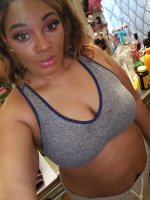
  1. Hey everybody look I've watched dozens of YouTube vids for months made a few of mon y own documenting my journey but what I havent seen alot of is lack of and no support system through this trying blessful time I've had fake support and I'm 6 days post op and had to discharge myself out ur the hospital way before I was supposed to leave cause I had noone to be with my children this is making my motivation and determination alot better it still sucks at the end of the day because I wanted a hug from people who claim to love me but I've had a enormous amount of support from the Facebook bariatric groups my God strangers who've become my friends worldwide ....I live in nyc I dont know 1 person who've had vsg so I didnt have noone to talk to other than make YouTube vids

Trending Products

PatchAid Vitamin Patches

Account

Navigation

Search

Search

Configure browser push notifications

Chrome (Android)
  1. Tap the lock icon next to the address bar.
  2. Tap Permissions → Notifications.
  3. Adjust your preference.
Chrome (Desktop)
  1. Click the padlock icon in the address bar.
  2. Select Site settings.
  3. Find Notifications and adjust your preference.