
redgirl37
Pre Op
-
Joined
-
Last visited
-
redgirl37 changed their profile photo
-
-
-
-
-
-
-
-
-
-
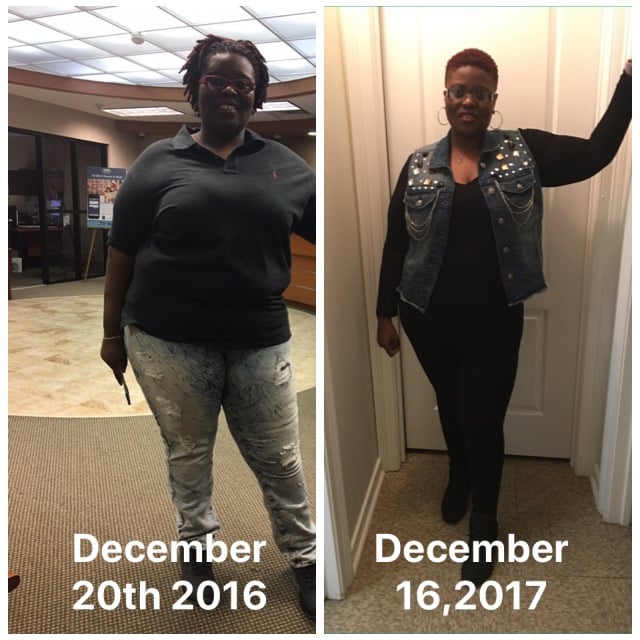
My surgeon told me to eat a prune a day and it works wonders!!I made my own protein shakes in the morning with water, protein powder and maybe 3 or 4 strawberries and I put the vitamins in the blender with it and blended it with the shake. It also gave it a good flavor.I have the Mirena as well. I had already discussed this with my obgyn before the surgery and she told me that it would be crazy until I reach my goal weight. It seems like with every 10lbs I loose it comes back. I only have the Mirena to regulate me because my tubes are burned and I must say it's doing good so far. Haven't had any crazy spells as far as bleeding a lot of days nonstop but it comes earlier now.Thank you!! Welcome to the group and can't wait til you have your surgery!! Keep us posted on everything and let us know how the surgery and everything goes. We'll be here every step of the way from the beginning til your goal weight and even beyond.Thank you!! I hope I can inspire others to take a look at themselves with side by sides to see the difference.Thank you!! I wanted a new bolder color for the new me!!Thank you!! I think the side by side really show the progress!!Welcome to the group and to this journey as well!! Hope everything went fine!!Thanks!! I think we all have that problem where we just don't see ourselves as others do!! Keep going and I'm sure you'll notice it tooTry crushing them in a homemade smoothie. That's what I do and it seems to work well for me.Thank you!!! I believe that as well!!I've been getting lots of compliments on how I look now and how I'm doing a great job on my weight loss but I haven't noticed it. The other day I decided to take some side by side photos and it wasn't until then that I noticed it. Just wondering do anyone else feel the same way?!!!They should be making you walk in a little bit and it'll ease up then Sent from my iPhone using the BariatricPal AppNew Orleans Sent from my iPhone using the BariatricPal App