Skip to content
View in the app

A better way to browse. Learn more.

BariatricPal

A full-screen app on your home screen with push notifications, badges and more.

To install this app on iOS and iPadOS
  1. Tap the Share icon in Safari
  2. Scroll the menu and tap Add to Home Screen.
  3. Tap Add in the top-right corner.
To install this app on Android
  1. Tap the 3-dot menu (⋮) in the top-right corner of the browser.
  2. Tap Add to Home screen or Install app.
  3. Confirm by tapping Install.

Join BariatricPal free

  • Ask your own questions
  • Reply and follow topics
  • Message other members
  • No cost, no spam

Eli Alexander

Gastric Sleeve Patients
  • Joined

  • Last visited

  1.    LaurieMore reacted to a post in a topic: Before and After Pics
  2.    LaurieMore reacted to a post in a topic: Before and After Pics
  3.    melie reacted to a post in a topic: Before and After Pics
  4.    BCs 1000 reacted to a post in a topic: Before and After Pics
  5.    Eli Alexander reacted to a post in a topic: Before and After Pics
  6.    Eli Alexander reacted to a post in a topic: Before and After Pics
  7.    Eli Alexander reacted to a post in a topic: Before and After Pics
  8.    Eli Alexander reacted to a post in a topic: Before and After Pics
  9.    Eli Alexander reacted to a post in a topic: Before and After Pics
  10.    Eli Alexander reacted to a post in a topic: Before and After Pics
  11.    Eli Alexander reacted to a post in a topic: Before and After Pics
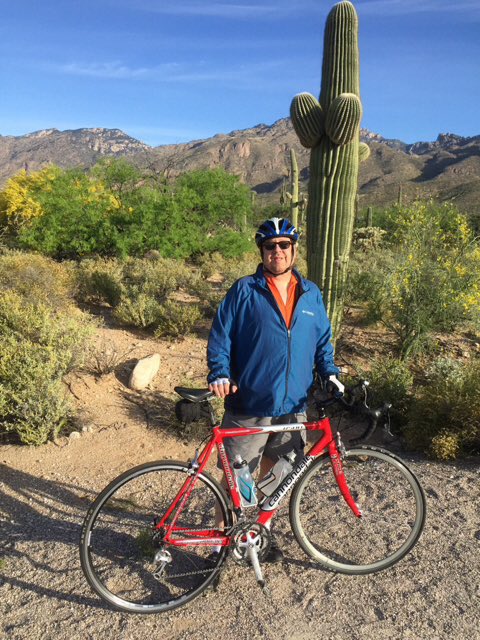
  12. Ok, here is a before and during. The first I weighed 310 and now I'm down to 230. My goal weight is 180 and hopefully I'll be able to post that pic here one day. And here is a face pic

  13. When do people usually start posting in this thread? I had my surgery 1/20/15 and I'm far from done, but am already impressed by the change. Including my pre-op diet, I've lost 80lbs so far and have another 50lbs to lose.
  14. This thread is so inspiring. I'll be adding to it soon hopefully. Two days from surgery. Keep it going everyone!


Account

Navigation

Search

Search

Configure browser push notifications

Chrome (Android)
  1. Tap the lock icon next to the address bar.
  2. Tap Permissions → Notifications.
  3. Adjust your preference.
Chrome (Desktop)
  1. Click the padlock icon in the address bar.
  2. Select Site settings.
  3. Find Notifications and adjust your preference.