




Start here
Where are you in your journey?
Choose the path that fits today. We’ll take you to the most useful discussions.
- GLP-1 medication Zepbound, Wegovy, access, side effects, progress, and support.
- Before surgery Compare procedures, plan ahead, and get honest pre-op answers.
- Post-op Recovery, food stages, symptoms, and support.
- Long-term Regain, labs, habits, and life after the honeymoon.
- Revision Explore revision options, complications, and next steps.

atontor
Gastric Sleeve Patients
-
Joined
-
Last visited
Everything posted by atontor
-
FABULOUS MY DEAR FRIEND ????????????
-
Congratulations
-
Welcome to the site and congrats on your current weight loss.
-
Fantastic job. Congrats
-
Thanks ????. Keep us posted
-
Congrats to all
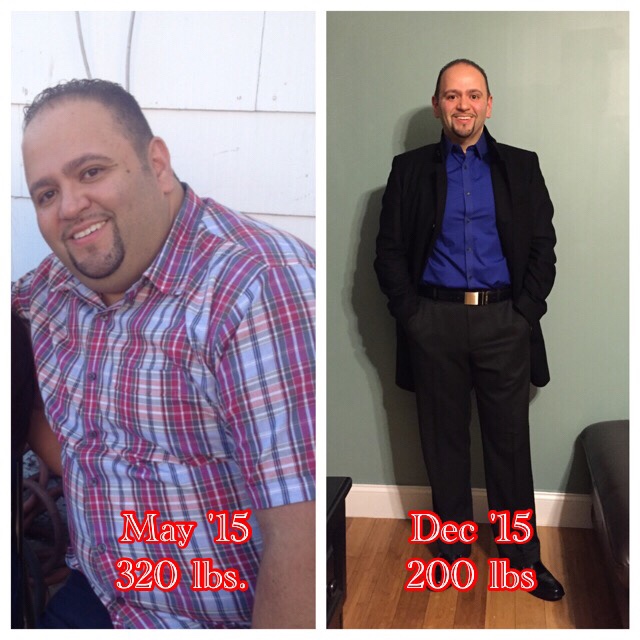
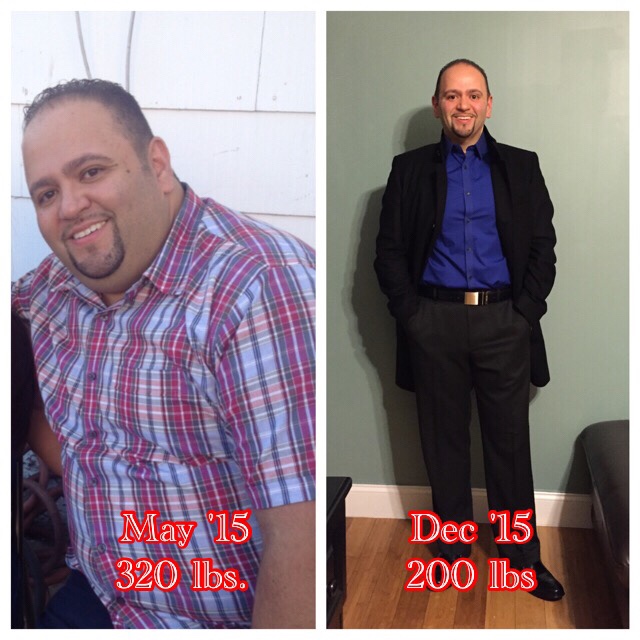
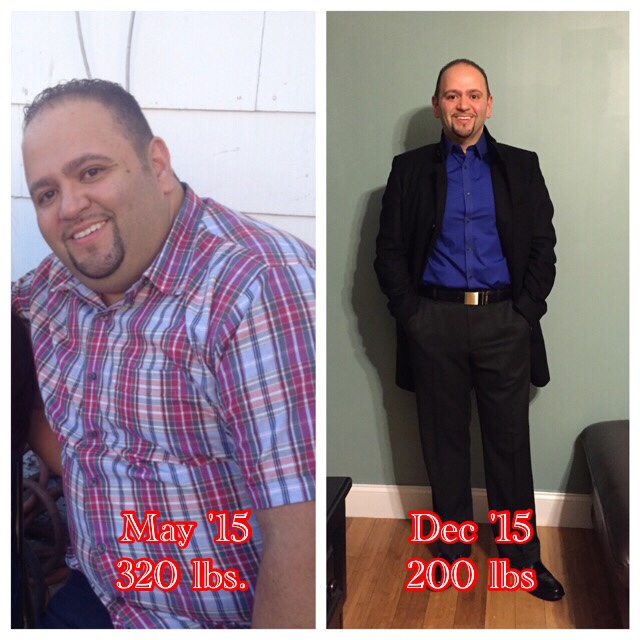
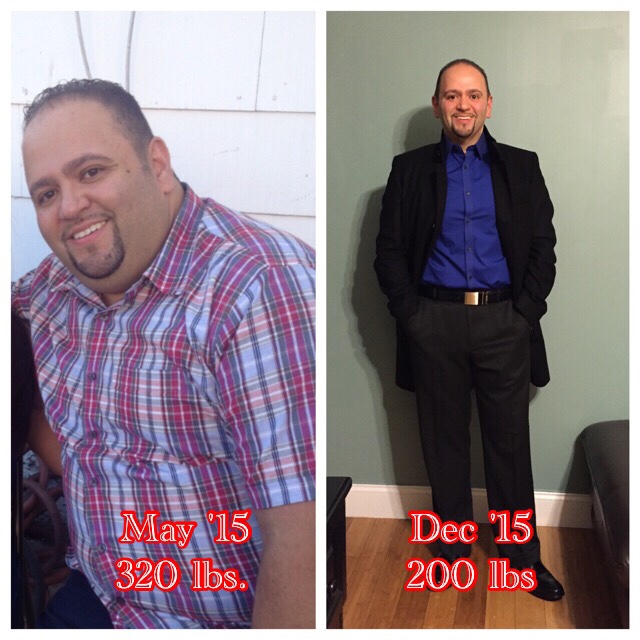
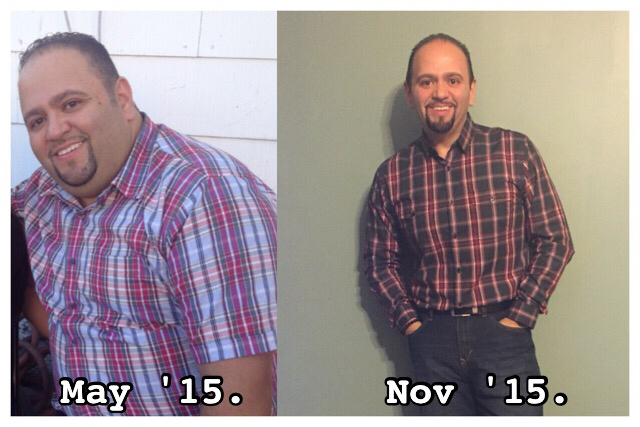
 Looking fabulousYou look fabulous. CongratsSW 320 CW 200 GW 199

 Congratulations to all on your weight loss. This is the best Christmas gift to give ourselves. I had surgery on 5/29/15 SW 320 CW 200 GW 190. ( I been stuck at 200 for a few months now but doing a lot of weightlifting. ).

 7 months post op
 fabulousLook amazing congratsCongratulations on your weight loss. Great job. How long did it take you to get to your current weight?SW 320. CW 200
 6 months post op today. Down 120lbs
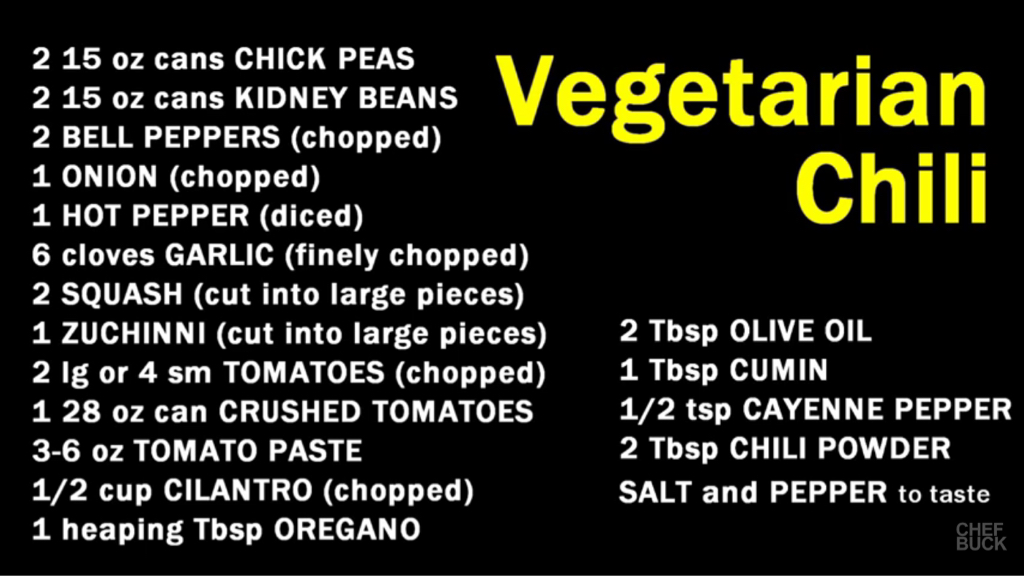
 Congratulations. You Look amazing Congratulations. You look amazing. Great job.There's also a lot of great ones on YouTube. I add different beans to make a bigger pot and freeze half of it for another time.Just add ground chicken to the above recipe.
 this is the best chili :-)Great.Hi I didn't stall in the beginning. I stalled for about a week once I was able to eat solid food but then continued to lose. Right now I'm stalled, those last 10 lbs I want to lose are still there but I'm not complaining.












Account
Navigation
Search
Configure browser push notifications
Chrome (Android)
- Tap the lock icon next to the address bar.
- Tap Permissions → Notifications.
- Adjust your preference.
Chrome (Desktop)
- Click the padlock icon in the address bar.
- Select Site settings.
- Find Notifications and adjust your preference.
Safari (iOS 16.4+)
- Ensure the site is installed via Add to Home Screen.
- Open Settings App → Notifications.
- Find your app name and adjust your preference.
Safari (macOS)
- Go to Safari → Preferences.
- Click the Websites tab.
- Select Notifications in the sidebar.
- Find this website and adjust your preference.
Edge (Android)
- Tap the lock icon next to the address bar.
- Tap Permissions.
- Find Notifications and adjust your preference.
Edge (Desktop)
- Click the padlock icon in the address bar.
- Click Permissions for this site.
- Find Notifications and adjust your preference.
Firefox (Android)
- Go to Settings → Site permissions.
- Tap Notifications.
- Find this site in the list and adjust your preference.
Firefox (Desktop)
- Open Firefox Settings.
- Search for Notifications.
- Find this site in the list and adjust your preference.