micmt
Pre Op
-
Joined
-
Last visited
-
-
-
-
-
-
-
-
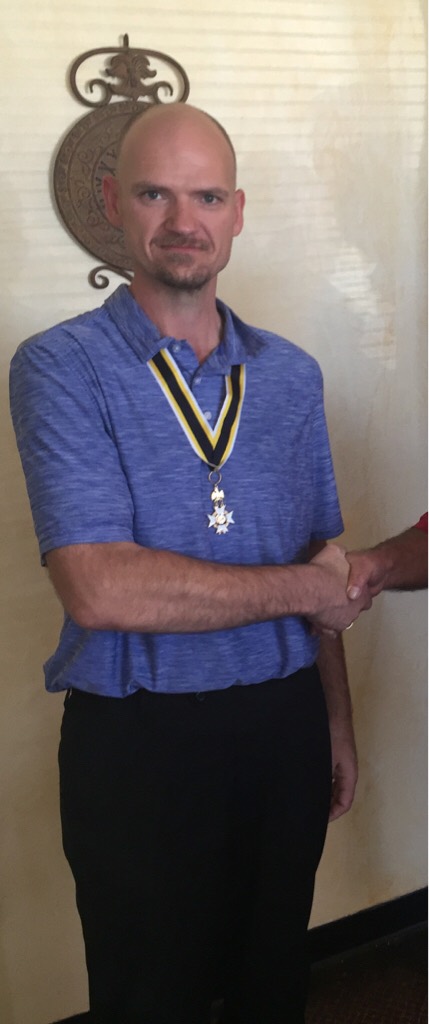
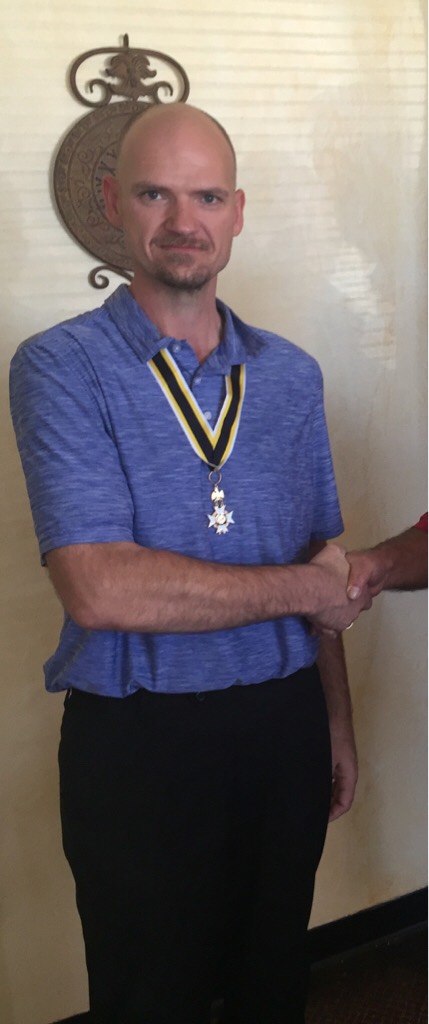
I'm president of a sons of the American Revolution chapter. The medal and ribbon signify my position. It was the latest picture I had that really showed off the weight loss. So I went with it.
-
-
-
-
After the surgery I realized it really was me. I just never got full. Never stopped eating. Going back for thirds. I tried to eat healthy but I was always Hungry. If I skipped a meal my sugar levels did weird things. Now I feel normal. I get full. I stop eating.
-
Heaviest at 325. Now 185.


-
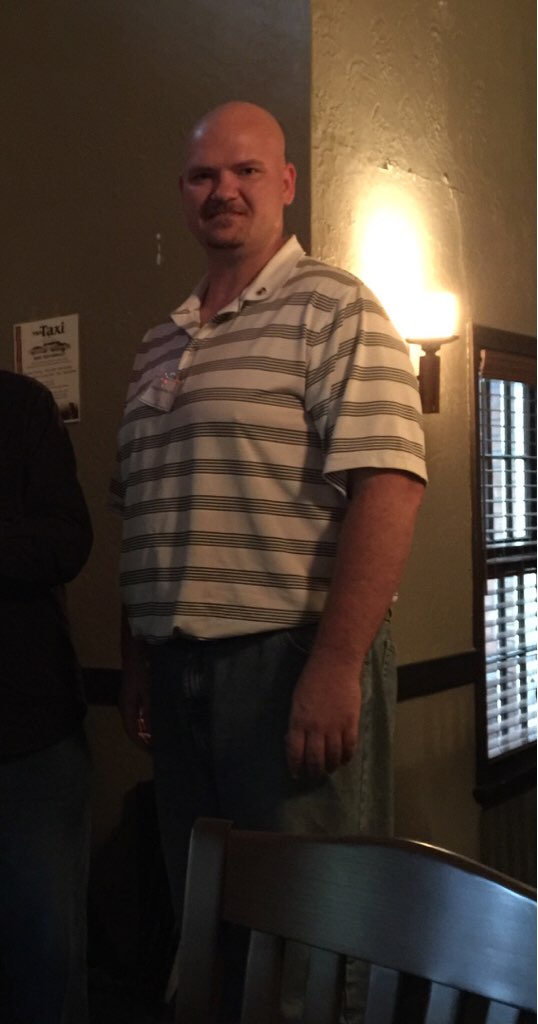
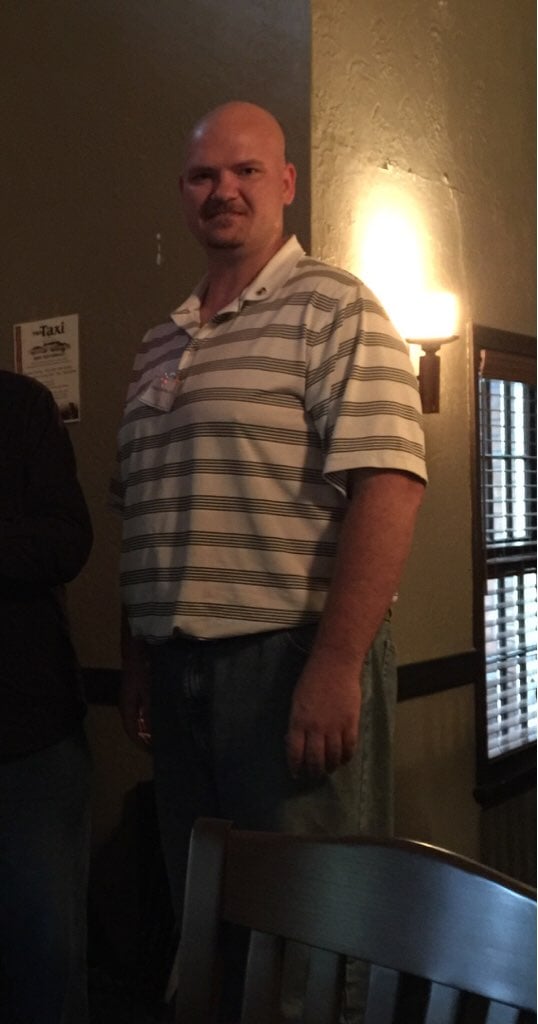
So to celeb my one year anniversary I'm posting before and after Picts. The before I was 325. I'm now at 185. That's 140lb loss. I have been maintaining for about 6 months now.


-
Just got back from the lake. Everyone else was enjoying the 78 degree water temp. I just could not do it. Just shivered the whole time. I got back to the camp and started the biggest dang bonfire you ever did see just to get dry and warm.
-
Yes floating becomes a challenge also. My kids can easily sink me now. And even though I have these things that I find annoying I would rather be skinny and enjoying life with these small things rather than have the problems associated with being larger.
-
And butt pain. The little tail bone pain is killing me. No car seat is comfy anymore. No seats at work. They all are killing my ass.
-
Ok this is a bad topic title but not sure how else to say it. There are things I hate about being skinny that I never thought of before. The biggest thing is I am always cold. Always. 100 degrees outside and I'm chilly. Went to Cabo last month and as soon as I got out of the airport I jumped into the sun. Everyone else was hiding in the shade to stay cool. I was the only one in the sun. I now wear a jacket during work and two lab coats on top. Another is my loss of counter weight. I used to be able to push or pull any thing. Now I'm just mortal strength. . No more just put your weight behind it. I knew about all the other things. Smaller portion sizes. Water only. No sugar. No this. No that. I was prepared for those things. I was not about these two. Are their others who have similar feeling bugs about stuff you had no idea would happen and you just hate it?
-
Try some back strengthening exercises also. With all the weight cushion being lost you now have to support your back yourself without all the fat helping your spine stay straight. It is amazing how the fat cushion works. It also wraps around nerves insulating them. I have a numb spot in my leg where the nerve is pinching going they my pelvis because of the loss of the fat around it. No biggie. Id rather be skinny than not.
-
Wow. I do love before and after
-
Water water water is for me. I buy the flavor to ad into it but I'm 95% water. I keep cases of bottles in my car so I will always have water. My kids jump at the chance for some of daddies flavored water. It's great to get them off of so much juice and soda also. I'll take a sip of soda once in a while. Juice just makes me feel down right bad.
-
It's a common feeling after fighting weight your whole life. I myself feel the same way and I'm about 11 months out and down 135 lbs. I still feel fat although I have not been this weight for as long as I remember. I'm in 34 pants from 46. Everyone tells me I look great. But I feel like I could lose another 20-30 lbs. I know though that if I did I would be unhealthy as I'm 6'4 weighing in at 190 now. Sometimes 188. Imagine if I was 160 or 170. Holy cow. You look amazing in your recent picts. One step at a time. It's all self image right now. I hope mine will eventually go away. But then again I think that's what's helping me keep the weight off. But it's a fine line of too much or not enough.
-
Bananas+ lots of water to wash it thru.
-
That's kinda what I'm chalking it up to. And figure that I need to stay away from it anyways.
-
I feel like I hit low blood sugar about 30 minutes after eating sweets. Feel like I am low on blood sugar. Which causes me to want to eat more to overcome it. I know I should just eat right the first time. But I do like something sweet once in a while.