Start here
Where are you in your journey?
Choose the path that fits today. We’ll take you to the most useful discussions.
- GLP-1 medication Zepbound, Wegovy, access, side effects, progress, and support.
- Before surgery Compare procedures, plan ahead, and get honest pre-op answers.
- Post-op Recovery, food stages, symptoms, and support.
- Long-term Regain, labs, habits, and life after the honeymoon.
- Revision Explore revision options, complications, and next steps.

Bluesea71
Gastric Sleeve Patients
-
Joined
-
Last visited
-
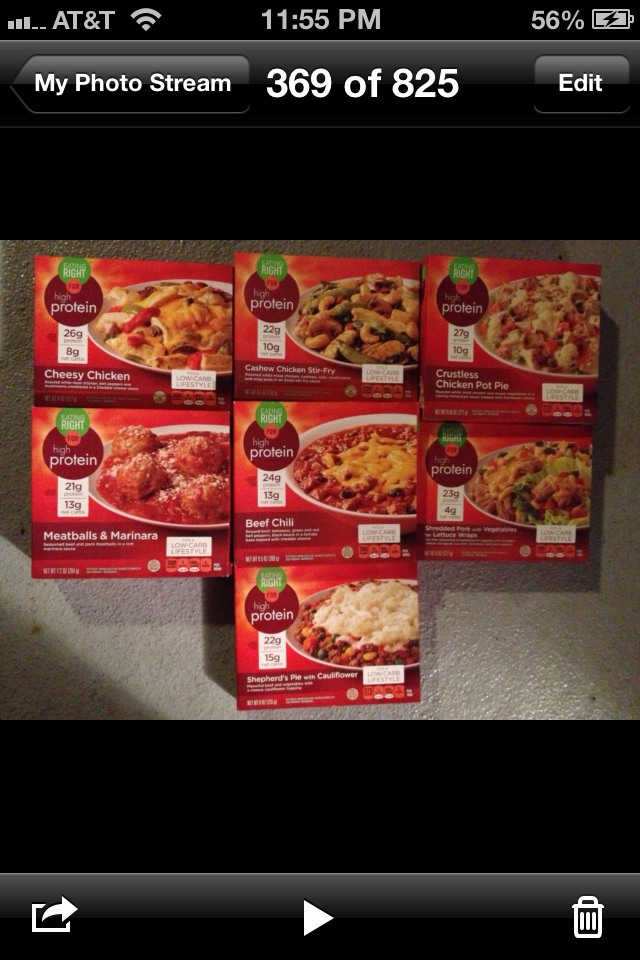
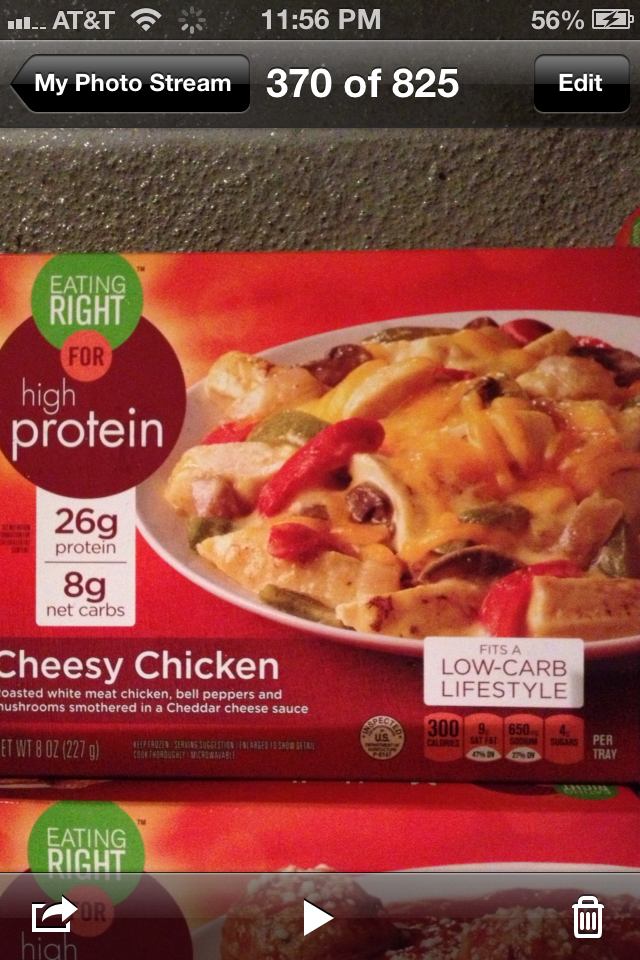
Great article. I wanted to add a brand I discovered at my local Safeway. I haven't seen it in any other store so I'm thinking it may be one of their brands. These have twice the amount of protein as any listed in the article and are very low in carbs and fat. My favorite is the cheesy chicken (26 grams of protein, 8 carbs.) All of my favorites are in the pic below except I don't care for the pork wrap and chicken stir fry. The others are delish! I can eat about 2/3 of a container at one year postop. $2.99/ box.