KeeWee
Gastric Sleeve Patients
-
Joined
-
Last visited
Everything posted by KeeWee
-
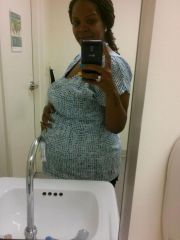
I had surgery 8/27 found out I was pregnant on Monday. I'm 40 had my first baby at 39 last year Aug 29. He just started walking. Hoping for a girl and healthy pregnancy. Wow, I wish you well!! I was scared to get pregnant within the first year but I did well, I did continue to lose weight for the first 4 months but it all changed around real soon. Baby grew just fine and was born a healthy 6 lbs and 13 oz. now at 8 weeks, he's 11 lbs so im happy he's not effected by any of this. Hope you get your girl...we've just decided to go for a girl in a few more months. VSG made my dreams come true....I want babies, my husband is one happy dude even though mine came right we were giving up and planning to travel instead. I gladly put my passport on the back burner for a later time...GOOD LUCK and best wishes!!
-
My son is currently 8 weeks. I gained 68 lbs in total. Within 3 days of leaving the hospital, I had lost 32 lbs already. Now 8 weeks later, I've lost 48 lbs total without even working out and have 20 more to work on. I have noticed my restriction is not as good as previously but I feel it's returning. Before surgery, I could eat 4-5 slices of pizza, I'm from NY and Pizza was my life. After surgery I could only eat half a slice and that was with no craving at all, during late pregnancy, I could eat a slice and a half and now 8 weeks later, I could eat 1 whole slice but I've lost the taste for it again. Now the thought of certain foods make me sick in my mind again...perfect...lol!! I'm back to no pizza at all...I feel absolutely great and am fitting into my new life just fine after 1 year and 1 baby boy. Good luck all...
-
Extremely happy to share that I did get pregnant 7 months post op after trying for 17 years. This won't be our first but our daughter is 17. My Dr always said if I lost weight, my hormones will reset and it will work for me but I never believed her. Just thought it was over for me. 7 months later I was preggo and almost hit the floor literally. My husband and I didn't believe and test, not even the blood work, only the sonogram. I gained 68 lbs and now that my son is 8 weeks, I've already lost 48 and 32 of that was within 3 days of labor and all of it was before I even began working out. Now I'm about to start working on the last 20 and I'm feeling AMAZZZZING!! Still trying to lose the cravings I picked up during pregnancy but it's a process like all things....Good luck to you all trying...it will definitely happen now!
-
VSG made my dreams come true!! Meet Baby Logan!!
-
I am actually. My doctor would like for me to eat 5-6 times a day or more since I eat so little. In the past few weeks my appetite has picked up tremendously. I could only eat a half a slice of pizza before pregnancy, then around 3 months, I could eat a whole slice. This is all so great to me since before the surgery, I would eat no less than 4 slices on my own. My life and eating habits have changed immensely and the sound of eating like that completely disgusts me. Now at 7 months, I can eat a slice and a half. I see a high risk specialist due to my eating and was put on not only the daily prenatal Multivitamin but now Iron and Vitamin D. My main issue with my caloric intake is the severe toothache that causes me not to eat. I only have preventative dental so the charge of $366 to remove the 2 teeth causing the problem is just too much for me right now with my oldest child just graduating and attending senior prom and preparing for the new baby and moving into a bigger place on July 1. I just take the antibiotics and tylenol and grin and bare the pain but it causes me not to eat a lot. I do notice I'm not really hungry most times but I try to eat on schedule for the baby's sake.
-
Just an update. I no longer am required to get a c-section. My pregnancy is going well. I am currently 7 months and baby is doing great and growing as expected. My weight loss goal was to reach 180 from 290. I was 184 when I found out I was preggo and 7 months later I am about 206. About a 22lb gain!! It's not so bad because you can literally tell that it's all baby. My face is still slim and I can still fit my size 10 jeans, from a size 20. Plus, I gained about 45lbs with my first pregnancy 17 years ago. So I see that my new eating habits are helping me tremendously to stay healthy thru the struggle and cravings. I seem to make a lot of my friends jealous because while I'm pregnant, I am able to shop their closets for clothes to wear at this size....That put 2 of them on a strict diet and 3 of them in the gym weekly....it's kinda funny to me, they all seemed so small to me and now, they're trying to get to my size....hmph, go figure!
-
Thank goodness I have a husband already because unfortunately a bad thing I've noticed since the weight loss is I get a lot of compliments on how I look from women which is great, yall ladies know it's hard to make another woman say "good job, you look great" but my issue is, MEN don't hit on me as much as they use to. I'm feeling a complex coming on... As we all know appearance is the first impression and I always had a great great smile, nice round butt and 44 DDD breast and my build was thick but you can tell I was still athletic, curvy and I danced alot and now, I just feel so frail, no butt, no boobs and no stares anymore. Nothing really stands out, I feel like I blend into crowds and I'm use to being the standout....Hubby loves it but I feel like I've lost a major part of me...I was the Queen of Kings for a reason!! Men drooled over my body, then my personality. It's weird to have to work harder to accentuate my curves and let my personality shine thru in my clothing style...this is becoming a more fun and exciting journey, luckily I like a challenge!
-
P.s. I refuse to change my license or passport pics until it's a must...I love the double takes!!
-
When you can finally get pregnant after trying for 17 years and all it took was a major weight loss. My doc always said it was possible but it seems losing 20-30 lbs never did it but losing 100 lbs was the remedy!! Going on 11 weeks and super excited!!! What a great reason to gain weight...I just have to tell myself, I am not getting fat, I'm just pregnant!! I did what it takes to get down 100 lbs and I wasn't even stopping so I know after the baby, Imma be on the road again....EASY as 123!!! GOOOOOOO VSG!!! LOL
-
I was 8 months post op when I found out and I was 5 weeks already.
-
So, I have accepted the facts! Fact #1, YES, I REALLY am pregnant. Per Doc, I'm 8w 1d due a week before my bday in late August. Just took 17 years and the thought of giving up completely as of 2015....go figure! Fact #2, YES, I really lost 106 lbs and was 4 lbs from goal when I found out I was pregnant. The scale has been climbing every since. I've already gained 6 lbs...and boy do I feel it... Fact #3, YES, Per Doc, I do have to get a C-section since it's too soon after the surgery to put that kind of strain of pushing. Fact #4 YES, Per Doc, I may get to pick the date, based on a few factors and I'd love to have our bday on the same day...i think..lol Fact #5 YES, Per Doc, I will gain a small amount of weight that will drop off almost instantly after the baby, most say by week 3 they were back to the pre-preg weight. Fact #6 YES, I have a love/hate affair with my boobs and butt...I'm like Yaaay, WELCOME back but then again, I feel the weight that comes with it. Fact #7 YES, I know I'm pregnant and still have a mental battle with gaining weight and seeing it all return so soon but NO DOUBT in my mind at all, I'm having this baby and everything that comes with it!!! HAPPILY!! Fact #8 YES, I do feel the stares and hear the whispers of "she got skinny just to get fat again" and I choose not to correct them but I do know that Pregnant does not mean FAT! #winches Fact #9 NO doubling up on pills, Per Doc, the prenatal pill replaces the multi Vitamin. Fact #10 NO, I dont have any issues eating at this time. Maybe eating enough is still an issue but before the baby, I could barely eat at all, now I have a healthy appetite. Still very little but steadily eating throughout the day is easier now and satisfying. Just wanted to share in case it helps someone, I'll keep you posted...Good day all!!
-
lol @ the 3 week hangover...lmao! I understand, after trying for so long u just think its anything but that..I know!
-
It's recommended that you wait at least 12-18 months but for those trying like myself, if it happens, it happens and we are just so happy. I've done my research online and with ppl I know and it is very likely to have a healthy baby with no complications within and before that time recommended. Your body is still healing and you're still getting use to your new life and eating habits and the baby will change all that and put u in a place that may make things difficult but it's based on you and your commitment to whipping your self back into shape. Plus many say they loss more than half if not all of their pregnancy weight within 2 weeks after delivery....whew, thank goodness!! My closest friend had the surgery and was pregnant after 4 months and my god baby is healthy and beautiful!! She never even looked pregnant!
-
I am now 1 of 8 women that I have met on here that have gotten pregnant after at least 10 years of infertility. So I am telling you now....if you want it, it can and will happen and I wish to sprinkle you with a bit of baby dust today....GOOD LUCK TO YOU!!
-
Thanks for the update. Im so nervous that something will go wrong or my body wont hold it so im just keeping hopes up and thank you for helping. What a beautiful baby..Congrats to you!!
-
OMG, this is real. I mean, I took my at home test and it was positive but I never trust those things, I always got negative test with my daughter so I was already 4 months and feeling movement by the time she was confirmed. But yesterday, it was confirmed with a sonogram and I was still floored after trying for so long, you feel like its still not real! Now once I'm holding "him"(hopefully) then I will really believe it. It feels so awkward, I want to be excited but waiting for a problem. Not good at all...I needed to know that ppl have normal healthy babies this close to surgery and after losing so much and after infertility for so long, I am having anxiety like I've never experience in my life. My husband is super excited, it's kinda sexy...lol!! Please pray for us!!
-
Thank you I love hugs too!! This is Diamond, her daughter! Have a good day.
-
I play this song every morning!! Sometimes it still makes me cry but the strength in her words and voice, whew, it keeps me going!!
-
I need to share this because over a year ago, I was the one looking for post of people that were post op and finally got pregnant with PCOS. Polycystic Ovary syndrome can feel like all womanhood is gone and leave you infertile. I was diagnosed back in 2006 and never was informed to take any meds or anything just lose weight to normalize my hormones. Well I could always lose a few pounds 10-20 but it looks like 100 lbs was my magic number because around the time I hit that milestone, I find out that I am pregnant...the real thing, not a faint line, not just feeling pregnant, all 4 test were positive and I am 3 weeks late and my husband and I are so shocked and scared at the same time so we're keeping this under wraps until the doctor says it's all good and we make it out of the 1st trimester!! It's funny because we had just decided to give up on the baby thing since our daughter is heading off to college this upcoming year, we said, it's finally our time, let's move to Cali and rekindle what the kid took for the past 17 years and then GOD says, hey, who asked me my timeline?!?!?!....lol....and now HIS work will be done on HIS time and not mine!! AMEN We do plan on telling our moms at Christmas dinner, lets see who hits the floor first...LMAO!!!! P.S. his mom is like 20 years older than mine, my mom, will jump up and down screaming, his mom is going down...I'M SO SURE!!!! Were we wrong to seriously make that $50 bet, because we sure did!!!!!! Good luck ladies and Happy Holidays ALL!!
-
HEY EVERYBODY.....HERE'S MY TRUE SUCCESS STORY IF I CAN GET AHEAD OF MYSELF BUT I WROTE THIS OVER A YEAR AGO AND IM BACK TODAY TO TELL YOU AFTER ALMOST 17 YEARS OF TRYING AND OVER 100LBS LOST, I AM OFFICIALLY PREGNANT, ONLY ABOUT 6WKS SO IM JUMPING THE GUN IN ANTICIPATION!!! I AM IN SHOCK TO SAY THE LEAST BUT I WANNA SHARE WITH YOU THAT EVEN WITH PCOS, WEIGHTLOSS CAN BE ENOUGH TO CHANGE YOUR LIFE IN EVERY WAY!!!!! GOOD LUCK MOMMIES!!!
-
Thanks so much and what stories we all have. Please share. Some ppl think its all good and positive after and i just wanna send my flashing warning and wish u all the best.....PSST, this morning's good news...im finally pregnant after 17 years of trying with PCOS!!! We are wide awake, im jumping around and he's super happy!! God is always on time...looking forward to life more and more every day now!! Have a great week VSG fam, you're the first to know!!
-
I am here to say congrats and yes, VSG finally gave my husband and I a positive test today after 17 years of trying. Im only 8 months out so I do have concerns but no fears! Please spread the word....IT WORKS for PCOS!!
-
Hey there, just an update. I am cured of my Ulcer and no Gastric Bypass necessary. Lets hope it stays that way...
-
KeeWee, a weight loss surgery photo album by KeeWee on BariatricPal. 9 photos in Before and After Gastric Sleeve Photos.
-
Thank u all so much. Didn't wanna tell anyone how bad it hurt. Just kinda been to myself and at home for the past few months and enjoying that as well. They do notice I have less to say but i waste my breath for no one. My sadness is mixed with anger. I always knew I would finally make things happen and thought I could spoil the people to death that was around me when I had nothing...I so badly wanted to show my appreciation for them being there while I was in school but maybe they thought I would never get anywhere? IDK but i'm trying to shake my sadness and you guys are keeping me smiling so thank u all very much for everything!!