Robert Angel
Gastric Sleeve Patients
-
Joined
-
Last visited
Everything posted by Robert Angel
-
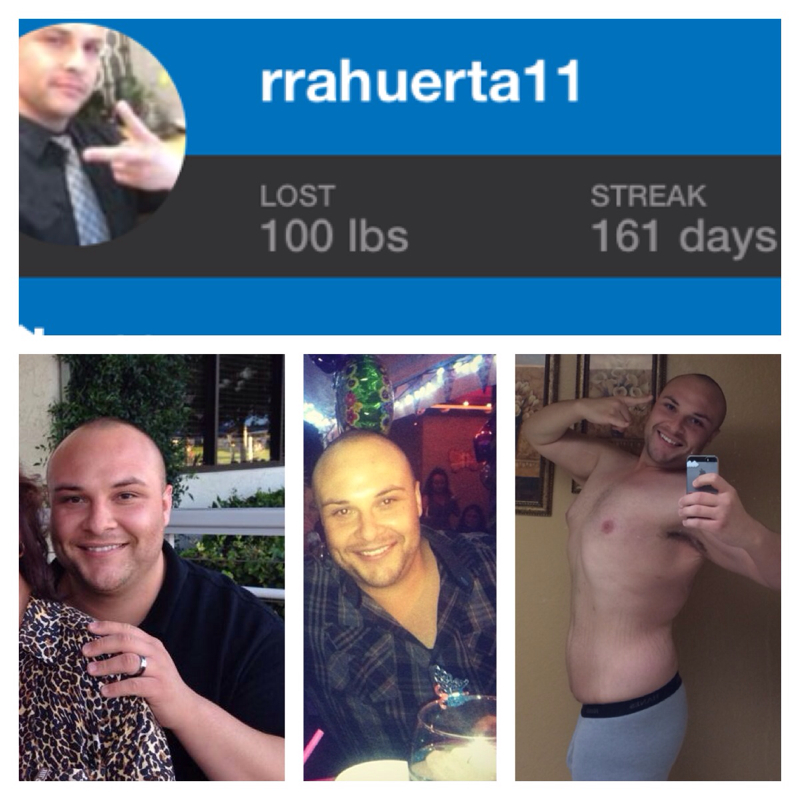
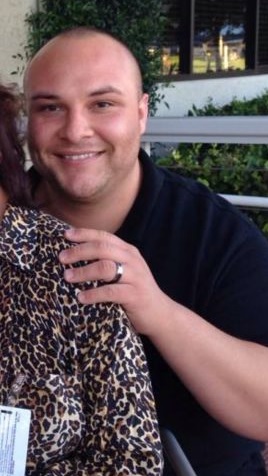
As of Today I'm proud to say I've lost 100lbs pic on left 7/24/2013- 3/7/2014
-
Thank you I think my party side is winning so far. I really am crazing to have one night out and enjoy myself. I do agree I will have to take it very slow and test the waters. I know I will get tipsy very quickly haha. I havent felt this excited to be out in a long time and I think I should run with it
-
WOW you look so good. Great Job
-
I am from Orange County, CA 25yrs old 5'9" Here are my Before and After. HW 304 Aug 2013, Surgery Date 8/12/13 CW 224 Dec 2013 My Goad is 160lbs
-
Hi everyone, my 26th Birthday is coming up in less than one month 1/16. I have been doing great with my weight loss…down 80lbs from August 2013. I really wanted to meet up at a local club/bar here in Orange County, CA to Celebrate but I don’t know how I am going to handle the drinks and scene. I feel great and look great. Does anyone have any ideas? Part of me wants to have a few drinks, celebrate, show off my new self (haha) but then I know I really shouldn't.
-
My Surgery date was 8/12 I have lost 80lbs since. I am so excited to see how well everything is working out. I was scared at first and once I started the pre and post op liquid diet I was freaking out but I'm 5mo post op and loving life. I love trying new protein rich foods. I enjoy food more than ever because I take my time and taste each bite now. I am now at 224 down from 304. my goal is 170lbs I hope by this time next year I will be here sharing my story at my goal weight. Cheers everyone and stay strong and focused throughout this Holiday week
-
My Final Straw moment were the last couple of months leading up to my decision to look into the Gastric Sleeve... 1- I would wake up with my Legs and arms numb 2- sleep apnea 3- constant lower back pain when walking more than 2-3mins at a time 4-Sweating for any reason 5-Weighing myself and finding out I was over 300lbs for the first time in my life at 25yrs old...realizing at this rate I would eat myself to death
-
Thank you! I laughed so hard at the Tie my hands behind my back part! I am ready to put this all behind me focus on my goal weight. I think I will focus on how it made me feel afterward more than anything...I felt so nasty after it all settled ugh. Robert Angel nice to see you glad you dropped in for some help/support many (me) have slipped off the wagon on a "rare" occasion there are several "pizza" jokes here that are "seriously" asked ie - 4 day poster will say I just had 2 slices of pizza was that ok, do you think i hurt my sleeve?? 4 months PO you have done terrific being down 80 lbs its good that you realize you shouldn't have had those 3 slices of pizza - in 20 minutes too!!! OMG little shaken up, feeling little guilty - go with those feelings, really!!!! that will help you/me/us to stay focused and on plan - drink our Water, all that good stuff we must follow you are aware and know that you must get back on that wagon "eyeopeners" can be good - sounds like it helped you whenever you think of doing 3 slices of pieces - KNOCK IT OFF!!!! GET OVER IT!!! for me and possibly others, weekends can be harder than during the week no good help on that, except trying to stay busy maybe tie your hands behind your back!!! its good you are tracking et al now hear me loud and clear!!!!! no more large silly amounts of any food, or you'll have to face me!!!! btw come around the neighborhood more often on a sunny/rainy/cloudy/and day kathy
-
I have learned that if I will have pizza which I know I will again... I will only eat one slice. and I will enjoy it in smaller bites
-
Hey Everyone, I havent been on much latley. I just wanted to post an update on my progress and new struggles as I just passed the 4month post-op mark. I am very pleased with my weight loss I am down 80lbs to 224lbs from my highest weight of 304lbs. My Birthday is exactly on one Month away and I am hoping to get down to 210-200lbs it’s a strech but anything is possible. I have new struggles latley. During the work week (Mon-Thurs) I do very well and eat 800 caolries and work out and burn off about 400 per day. On the weekends (Fri-Sun) I find it harder to stay on track…because I don’t have work to distract me. I track all I eat but still... Last night I felt so bad because I was watching a WWE PPV and ate 3 slices of a medium pizza! Yes… I ate 3 slices in less than 20mins!?! I felt sooo full and I was afraid that my sleeve was going to strech. I hope I didn’t do any damage because I know I should not be eatting that much….It was an eye opener for me to start my week off right. I am doing good so far today and I am ready to get back on track. Do any of you have experiences like that where you can eat an abnormally large amount of food? Not going to lie…Im still a bit shaken up about how I ate yesterday. I hope you all have a great week.
-
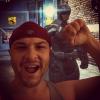
HW 304 July 24th 2013 CW 224 December 8th 2013 CW 224 December 13th 2013 Down 80lbs, I am hoping to get down to 200-210 by my Bday 1/16/14


-
Wow you look amazing great job!! Congrats on your success
-
Over the last 24hrs I've eaten 10-12 fun-size candy bars.... Thanks Halloween :/ but I'm doing good today (Holds up protein shake) I'm down 61.5lbs since 8/12/13... We are human
-
no problem anytime pre-op it was tough and I was hungry but I kept my self busy... Try and keep yourself distracted and with eople that won't let you cheat.. The drinks would help for a couple of hours because you still have your regular stomach but just keep a shake handy so you won't get too hungry and grab the wrong thing.
-
Great question, Post-op I drank Muscle Milk and Evolve (made my muscle Milk) I'm 11 weeks post op and I am still drinking Evlove vanilla and my new favorite is Pure Protein Vanilla...they come in 4pks at Walmart and Target. I dont like making my own shakes from powder so I buy them. I like Prue Protein more than Evolve because it has Fiber and its pretty good in my opinion. I had a Premier Protein chocolate the other day and its not bad either (costco sell them in bulk). You should get some differnt brands and test the waters and see what you might like. I also made slushies w/ my magic bullet (filled w/ ice and two squirts of mio liquid and it was so good and sugar free)
-
That’s awesome Congrats that’s RIGHT around the corner. I had a two week liquid diet. It’s going to be tough but you can do it. I think my biggest mistake was that I didn’t plan ahead too well and I was so bored and HUNGRY. Plan your meals…get Muscle Milk Light (they also make a product called EVOLVE its good I like the Vanilla one), Low Sodium Broth, Mio/Crystal Light Liquid Enhancers so you won’t get bored with water. If you get stuck and want to eat… remember you need to do this to make sure your liver is small enough for no complications during your surgery…this should scary you not to grab something you shouldn’t eat for that week. You have some time to plan ahead so look up some ideas and make a list so you are ready to tackle that week. Best of Luck J
-
I have about three Snacks a day...but they are healthy snacks, Yoplait Light Greek Yogurt and Beef Jerky are my top two snacks because I don’t get bored with all the flavors of Yogurt and Jerky. Once in a while I have a Fiber-One Protein Bar, or if I am really craving Carbs I have a Plain Rice Cake with Reduced Fat Peanut Butter to get some sort of Protein in as well. I think it’s smart to snack to keep you metabolism going but just be smart and stick to the low fat/High Protein foods. Snacking keeps me stable throughout the day and not feeling so hungry all the time. Read those labels and track track track so you know what you can have later. Best of luck
-
I am 11 weeks out. Every day I try and have a homemade slushy. I use the Magic Bullet fill it up w/ ice and put in two squirts of Mio liquid enhancer...the Orange or Lemonade are my Favorites and blend it helps me with my liquids and if I'm bored and hungry I make myself one and it takes the craving away. oh I eat it with a spoon and I take my time with it its like a sugar free snow cone Hope it helps and good luck man you are doing great!
-
Hey Guys, I haven’t been on much lately. I have been really working hard on my routine and workout schedule. I am so happy to say I am down 60lbs. I Started at 304 8/1. I was at 287 on 8/12 then this morning I am down to 244. I am hoping to get down to 200 for my Birthday in January. I just want to say thank you for all your support and I have learned so much from all your posts and recipe ideas and suggestions. I made the best decision of my life to go forward with the Sleeve and I will NEVER look back again. I have no back pain, I don’t wake up with Numb arms, I am sleeping better and of course I am eating good healthy food. I updated the “before and after” my pics in my profile I have 74lbs to get to my goal weight and I can’t wait to continue my journey and better myself. Cheers everyone. By the way I am looking for MyFitnessPal Friends add me: RRAHUERTA11 or my email is RRAHUERTA@yahoo.com I hope to find locals to work out with soon…anyone from Orange County, CA? Hope you all have a good week!
-
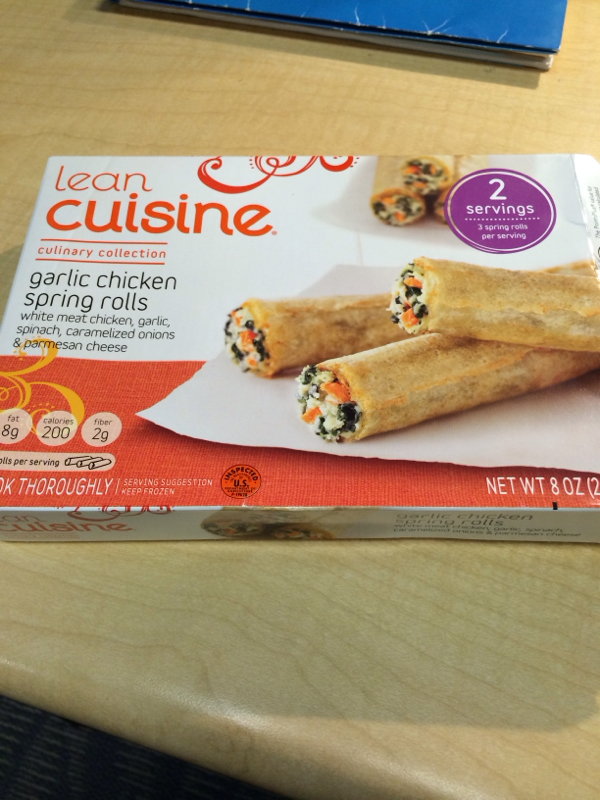
once you are on your solid foods stage you should try one roll and see how you respond three rolls are about 4oz
-
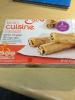
They are a perfect lunch for me. Keeps me on track. There are two 3/roll packs on each box not bad... Like 2 meals in one I usually have 3 for lunch then the other 3 for dinner or my 3-4pm snack
-
Anyone else obsessed this these? They have Fajita Style, Garlic, and Thai. Perfect portion for me and only 200cal for 3 rolls.
-
It's ok thanks for the reply though. Cheers
-
Hey I'm down to 250lbs today marks my 9th week post op. Feeling great I've been easing cardio back into my life as of last week. Thanks for asking
-
Great info here thanks!