Skip to content
View in the app

A better way to browse. Learn more.

BariatricPal

A full-screen app on your home screen with push notifications, badges and more.

To install this app on iOS and iPadOS
  1. Tap the Share icon in Safari
  2. Scroll the menu and tap Add to Home Screen.
  3. Tap Add in the top-right corner.
To install this app on Android
  1. Tap the 3-dot menu (⋮) in the top-right corner of the browser.
  2. Tap Add to Home screen or Install app.
  3. Confirm by tapping Install.

Join BariatricPal free

  • Ask your own questions
  • Reply and follow topics
  • Message other members
  • No cost, no spam

Cait12

Gastric Sleeve Patients
  • Joined

  • Last visited

  1.    Ready2Live! reacted to a post in a topic: Before and After Pics
  2.    linah reacted to a post in a topic: Before and After Pics
  3.    bbudee reacted to a post in a topic: Before and After Pics
  4. Cait12 started following Nicey2u
  5. Cait12 started following Lisa1999
  6. Images added to a gallery album owned by Cait12 in Before and After Gastric Sleeve Photos
    Cait12, a weight loss surgery photo album by Cait12 on BariatricPal. 4 photos in Before and After Gastric Sleeve Photos.
  7. Cait12 started following mrslb5
  8. Cait12 started following Band2Sleever
  9. Cait12 started following joatsaint
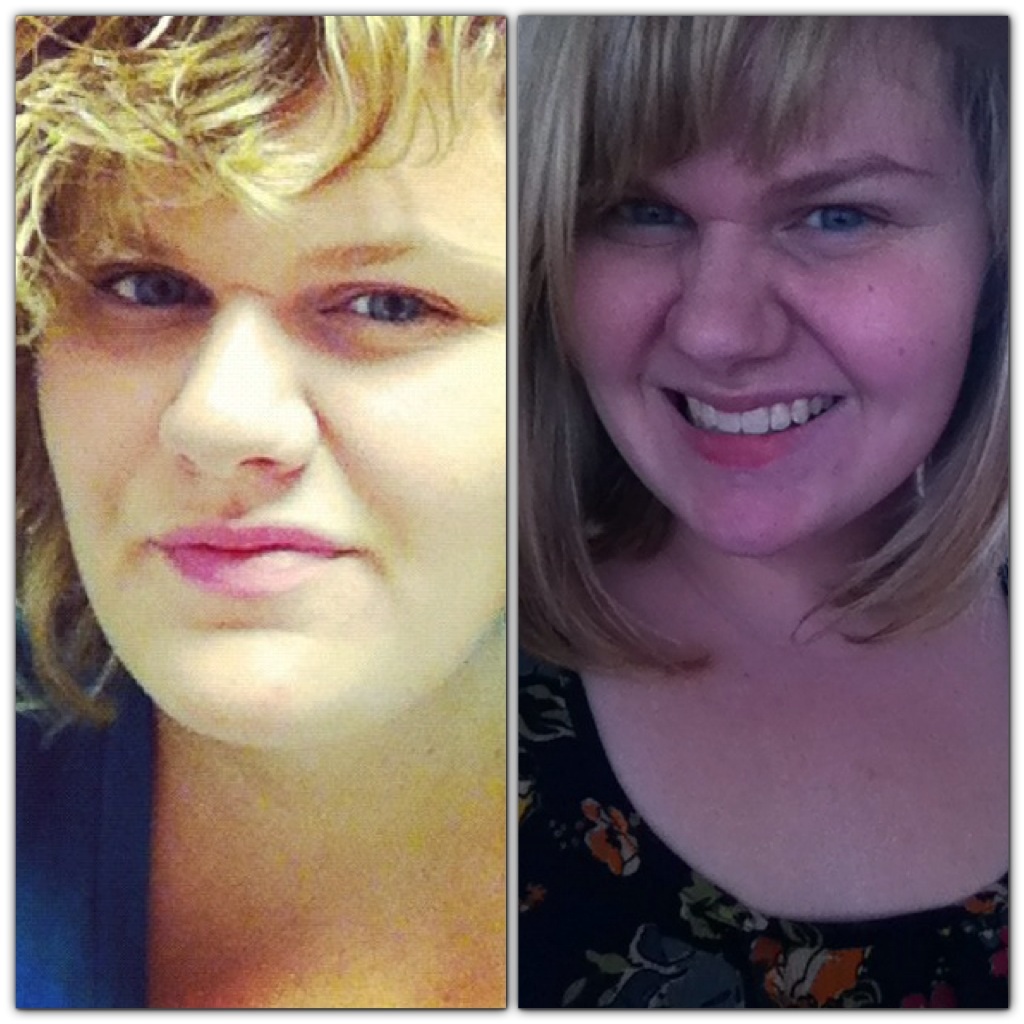
  10. The first photo was me just under a year ago at my highest weight of about 312 pounds. The second, about a month after my surgery. You can see how much weight I've lost in my face! So far since pre-op, 33 pounds total!

  11. Cait12 started following jzipzip
  12. Cait12 started following lexi6510
  13. Cait12 started following dazialovely
  14. Cait12 started following Aries
  15. Cait12 started following lovexciaral
  16. Images added to a gallery album owned by Cait12 in Member Photo Gallery
    Before Surgery, a weight loss surgery photo album by Cait12 on BariatricPal. 2 photos in Member Photo Gallery.


Account

Navigation

Search

Search

Configure browser push notifications

Chrome (Android)
  1. Tap the lock icon next to the address bar.
  2. Tap Permissions → Notifications.
  3. Adjust your preference.
Chrome (Desktop)
  1. Click the padlock icon in the address bar.
  2. Select Site settings.
  3. Find Notifications and adjust your preference.