alexisny
Gastric Sleeve Patients
-
Joined
-
Last visited
Everything posted by alexisny
-
So excited for you. It will be the start of a new life for you and your family. It will be rough the first couple of weeks, but I promise you it will get better. Keep me posted and I am here if you need me. I've been there!!!
-
You can tell how good your feeling by that smile on your face. You look great!
-
Yes I have decided that I am at goal weight. I am happy where I am so I am trying to stay right where iam. It is really hard. I have to eat more but not get crazy with what I eat because I don't want to stretch my stomach. It's def a juggling act!
-
Surgery date: Jan 27th, 2014 Surgery weight: 252 Current weight: 148 104 lbs down. I am loving how I feel! I love my doctor. I can run around with my kids! Life is good! So happy for you all.
-
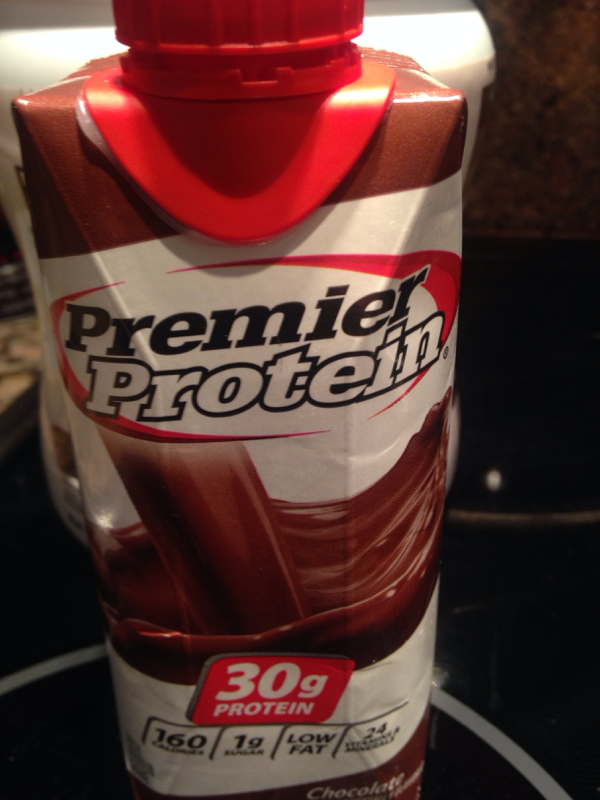
This is my friend for on the go must be ice cold.

-
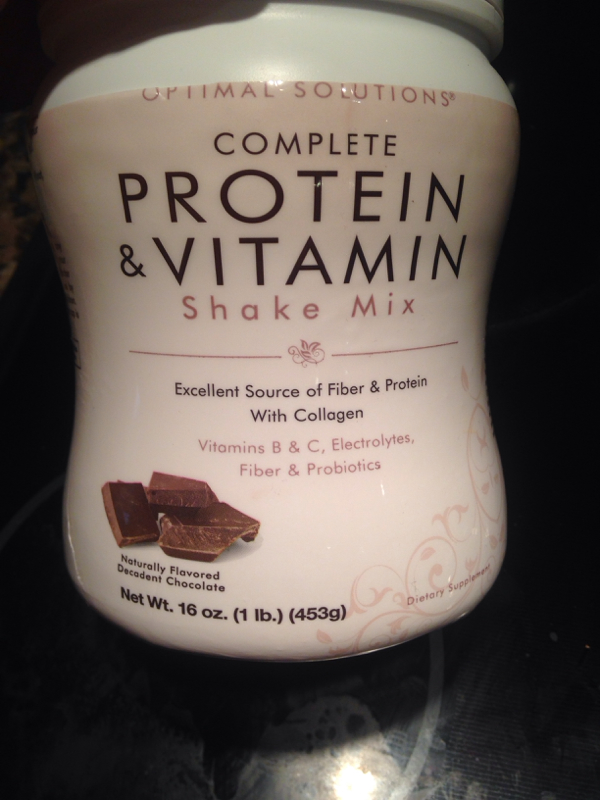
This one combines vitamins and protein and has collagen. I mix it with milk and ice it's great! You buy it at cvs and every month it goes on sale 2 for the price of 1. I take this one because I was having trouble getting my vitamins in.
-
Yes this January. I know, I hear it's not the typical results. My weight came off fast. I think it's the running around with the toddler. I eat! I don't deprive myself, but I don't eat pasta or rice at all so I think that made it faster.
-
I used to spend hours looking at before and after pics from successful sleeve surgeries. So happy to share mine!
-
Surgery performed on January 27th, 2014 Day of surgery weight: 252 Today: 148



-
With a chair I meant. Typing too fast
-
I was in your position. I was so scared about it too. I met another mom on here and she made me feel better. I hope I can do the same for you. If you stress they will stress. They will feel your tension. The pain is nothing. It's really the stress of the kids. You need to take this time for you so you can be healed quickly for them. I promise you, if you don't rush it, you will pick then up in like 14 days. It seems so long while you are going through it but I did find ways around it like the laying together or the transfer with a hair to my lap. So worth it in the long run. My son is 18 months now and I was chasing him around a pool today. What a difference 8 months makes!!!!!!
-
alexisny, a weight loss surgery photo album by alexisny on BariatricPal. 2 photos in Before and After Gastric Sleeve Photos.
-
Hi Liz, I had surgery last Jan. At the time, my kids were 9 months and 5 yrs. I could not pick my kids up or even let them lay on me for 2 wks. It was horrible for the 9 month old. My hubby would lay him down next to me to snuggle but I has some drains so I had to be extra careful. YOU WILL BLEED if you try to pick them up before 14-16 days. If I tried to pick up things around 10 lbs, even around 5 I would drain more. If you want any other info don't hesitate to ask. You will need help. It's hard asking for help as a mother. Really hard, but you have to set up help for 2 wks to be safe. Someone to just help with baths etc. I also could transfer them from a chair to my lap within a week. Good luck! It's worth the outcome. You will feel amazing, have tons of energy to be with your kids which is worth the short healing time.
-
I'm 8 months in and I drink 1 every morning. Sometimes even a Starbucks coffee. It's fine as long as you eat something 30 min before or 30 min after. That's how I feel atleast. .
-
Hi Liz, I had surgery last Jan. At the time, my kids were 9 months and 5 yrs. I could not pick my kids up or even let them lay on me for 2 wks. It was horrible for the 9 month old. My hubby would lay him down next to me to snuggle but I has some drains so I had to be extra careful. YOU WILL BLEED if you try to pick them up before 14-16 days. If I tried to pick up things around 10 lbs, even around 5 I would drain more. If you want any other info don't hesitate to ask. You will need help. It's hard asking for help as a mother. Really hard, but you have to set up help for 2 wks to be safe. Someone to just help with baths etc. I also could transfer them from a chair to my lap within a week. Good luck! It's worth the outcome. You will feel amazing, have tons of energy to be with your kids which is worth the short healing time.
-
I had surgery on Jan 28th. Liquids for 2 wks. Then 2 weeks puréed. Then 2 wks soft. This is the miracle operation. I am living proof. As bad as it is in the first couple weeks it's not worth messing up the size of your stomach. You could stretch it. Drink!!!!! Drink pill cups worth all the time!!! You won't regret ignoring food for a while. I went from 252 to 148 in 7 months. Life changing!!!!!!
-
Thank you so much! Going to a checkup on Tuesday, so I am def going to see if we can change the prescription. Good luck to you too!!!
-
Btw Donna, I don't eat any carbs like the following: No pasta, no rice, no bread, not one thing and in my eyes, it is not worth reintroducing this into my diet and compromising the results of the sleeve. My feeling is I didn't go through all this pain and angst, away from my kids, not holding my toddler etc to let something like carbs slow me down. I have lost 37 lbs since my surgery date of 1/27/14; naturally and in a healthy manner following my NUTs program and using fun recipes on Pinterest. I cook for my husband and my children every night and eat around 2 oz of protein combined with something every time I get that little nudge to eat. It may be just me, but I am not going there with those types of carbs for quite some time. There are so many other great options. Let me know if you want a few recipes. good luck.
-
I have a script for carafate that you are supposed to take 4x a day. My stomach can't take it. It makes me nauseous, so I only take it when it is really bad. I want to see if anyone has any tricks to controlling it without meds. My theory is that it happens when my stomach wants food to digest and it is overdeveloping the acid.
-
Yes they put me on a liquid but it is horrible and makes my stomach upset. Trying to figure out how to balance it without the meds
-
Anyone getting acid reflux? It's so bad and the only things that help are the liquid meds they gave me which taste horrible or cottage cheese. I keep drinking water to keep the acid down but I can't do that all the time or I'll never get a 30 min interval to eat. Lol. Anyone else feel this way?
-
I puréed egg salad and chicken salad. I had my hubby buy me a few interesting soups and I mashed those but you can purée them as well. I made a strawberry blended drink which was great (strawberry light and fit dannon, skim milk and frozen strawberries). Eggs and cheese were good too. My little one loves the Ella's organic purées so I bought a few extra for me and I also got no sugar applesauce.
-
Tried the premier and they are great. Thanks for the tip.
-
I am on liquid and pill form meds for acid reflux. It still happens. It comes so far up that I feel like I might throw up, but I don't. Sometimes a few deep breathes or a sip of something makes it feel a little better. Sucks! Anyone else feel this way?
-
Good to know because that was one of the options from my nut. I hear that the premier protein shakes are good so I may try those.