Skip to content
View in the app

A better way to browse. Learn more.

BariatricPal

A full-screen app on your home screen with push notifications, badges and more.

To install this app on iOS and iPadOS
  1. Tap the Share icon in Safari
  2. Scroll the menu and tap Add to Home Screen.
  3. Tap Add in the top-right corner.
To install this app on Android
  1. Tap the 3-dot menu (⋮) in the top-right corner of the browser.
  2. Tap Add to Home screen or Install app.
  3. Confirm by tapping Install.

Join BariatricPal free

  • Ask your own questions
  • Reply and follow topics
  • Message other members
  • No cost, no spam

Caaattt

Gastric Sleeve Patients
  • Joined

  • Last visited

  1.    voldemort reacted to a gallery image: IMG 4470
  2.    aroundhky reacted to a gallery image: IMG 2260
  3.    Ossama El Maghraby reacted to a gallery image: IMG 4585
  4.    Ossama El Maghraby reacted to a gallery image: IMG 3324
  5.    Ossama El Maghraby reacted to a gallery image: IMG 4572
  6.    Ossama El Maghraby reacted to a gallery image: IMG 4574
  7.    Ossama El Maghraby reacted to a gallery image: IMG 4470
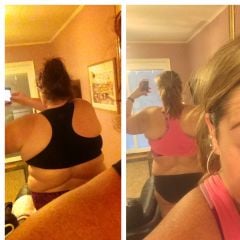
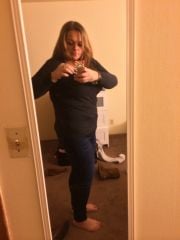
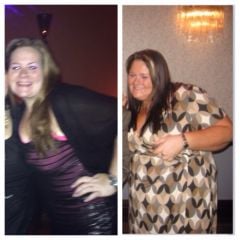
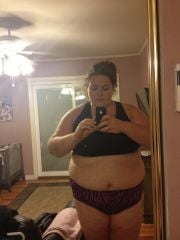
  8. Images added to a gallery album owned by Caaattt in Before and After Gastric Sleeve Photos
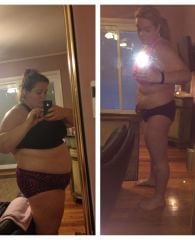
    Caaattt, a weight loss surgery photo album by Caaattt on BariatricPal. 8 photos in Before and After Gastric Sleeve Photos.
  9.    Tori82 reacted to a comment on a gallery image: 2mo Out
  10. Caaattt commented on Cmt7831's blog entry in Crystal VSG Journey!!
    Go on a liquid diet for a few days! You will be shocked!!!!!!
  11. How many grams of protein does the carnation have? I am on day 9 and its not bad. I had a small salad today though. I have never been so excited to eat a salad!!!!!!! How much water are you drinking? Are you dizzy? You should try premiere protein drinks. I am so happy with them. Most of my hunger is def head hunger. Are you doing any exercise?

Account

Navigation

Search

Search

Configure browser push notifications

Chrome (Android)
  1. Tap the lock icon next to the address bar.
  2. Tap Permissions → Notifications.
  3. Adjust your preference.
Chrome (Desktop)
  1. Click the padlock icon in the address bar.
  2. Select Site settings.
  3. Find Notifications and adjust your preference.