KimMarh
Gastric Sleeve Patients
-
Joined
-
Last visited
Everything posted by KimMarh
-
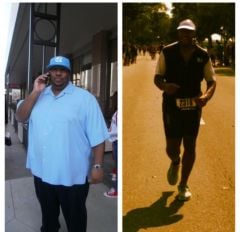
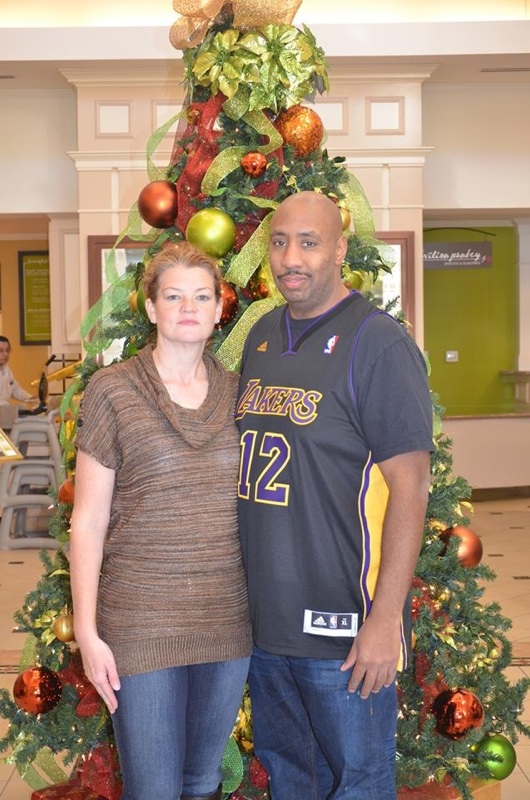
Here's a picture of my husband....
-
Misc, a weight loss surgery photo album by KimMarh on BariatricPal. 2 photos in Member Photo Gallery.
-
You can eat pasta and rice and bread, just not a lot of it.. As a mater of fact my nut said you have to eat carbs... I will say never have soda.. I haven't had any in over a year. My husband, who has had the surgery also, has had a very little bit of soda. But I wont chance it... they say it expands your stomach. My Nut also told me to only have 3 meals a day and no snacking. I am not perfect and I have a bad bad habit of eating small pieces of chocolate in the office.(TOO MANY CANDY BOWLS). But I workout extra harder in the gym to make up for it.. This was the best decision I have every made. But how much you lose is completely up to you. If you don't exercise (cardo) you wont lose all your weight. I was bound and determined to get to my goal weight by 1 year post op because I know it gets harder and harder the farther out you are. I wanted to take full advantage on the first year. Now I want to lose 6 more lbs.. to be the same weight as my 15 year old daughter!! LOL that is hilarious to me .. Who would have ever thought... NOT ME!!!I was doing the elliptical 3x a week for an hour and running 3x a week for 35 min (same days) until it got cold outside and had a hysterectomy. But I do still do the elliptical 3x a week for an hour..I do... my legs are the worst... my stomach and my arms I can deal with but my legs are horrible..I have never been so happy in my life!!!!
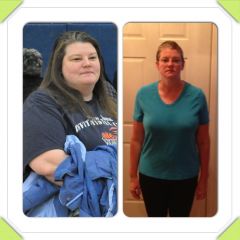
 I am 2 lbs from my goal weight. (150) I will be 1 year out on Jan 21. I don't feel like I should stop loosing weight. I think I can afford to lost another 10lbs but everyone keeps telling me I shouldn't lose anymore. How do I know what is the ideal weight for me.. I am 5ft 7 inches.In DC they board meets every two weeks.. So the longest you will wait is 2 weeks... I waited 3 days.YES... 20lbs each shot.... but that was 15 years ago..I don't want to stop losing weight... I am 9 months post op and down 123 lbs. I had to have a hysterectomy 3 weeks ago and cant exercise for 6 weeks. Except the elliptical which I am doing 3 days a week. But my weight loss has come to a screeching halt... Not sure what I can do but I don't want to stop losing weight. I have at least another 13lbs I want to lose.... if not more!!!Turkey... High in protein,,Congrats!!!I usually order an appetizer if they have no fried items or soup7 Months... I started at 285 and I now am down to 164 as of today 9 months later. Afterdehydrated... drink some water.Go to a day spa and treat yourself!!!I have 5 friends that have had the sleeve, one is today... And we are all doing wonderful expect one who had a leak and over 10 surgery but I will say she never followed the plan and still does not. Smoking, drinking soda ... doesn't drink protein shakes.I haven't experienced that... but I will just say stick with it.. I am on week 8 and running 28 min.. I would have never thought I could do it!!!So my question is, I run the amount of time but never the distance... Should I run longer to hit the distance??What a great thing, I am on week 7. Never thought I could run for 25 min straight!!!Congrat!!! I know exactly how you feel!!!I am on week 5 day 2... I feel so accomplished, I ran (jogged) 8 minutes today without stopping. I Have never been a runner but this is so doable!!!That older picture was actually 3 years ago... And I was about 15lbs heavier then my surgery weight!!!100lbs lost, a weight loss surgery photo album by KimMarh on BariatricPal. 1 photo in Member Photo Gallery.