





AmandaRaeLeo
Gastric Sleeve Patients
-
Joined
-
Last visited
Everything posted by AmandaRaeLeo
-
This is from last weekends hike. Brandywine Falls, a scenic detour.

-
Good luck! Dr. Alvarez has an excellent reputation.Exactly!A scenic 90 minute impromptu hike with my daughter and sister. Man did we sweat! Summer has arrived in NE Ohio! :-D
 'Nuff said.
 Oh no she didn't! Lol!! :-D Btw, my surgeon uses a thimble. :-PThis also applies to alcoholic beverages...We are never going to agree, unanimously, on this subject. Whether its about it being safe/okay to drink postop or even on what to call it (Pop). Sooooooo. See your WLS medical professional.It tasted amazing and went down without any issues... Unfortunately that's the bad news too. Dark chocolate covered graham cracker.
 America has spoken. It's pop! :-P
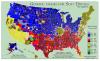 Cruel.Do I have to post the "map" again proving its "pop"?!I've seen then at GNC but I've ordered mine online. Amazon or directly from the Quest website.Yes it is great progress. I was pleased to come across that article.AMA recognizes obesity as a disease http://usat.ly/16eIRV6I never weigh more often than every two weeks. It has served me well about not stressing.Nope. It just seems like a bad idea.





Account
Navigation
Search
Configure browser push notifications
Chrome (Android)
- Tap the lock icon next to the address bar.
- Tap Permissions → Notifications.
- Adjust your preference.
Chrome (Desktop)
- Click the padlock icon in the address bar.
- Select Site settings.
- Find Notifications and adjust your preference.
Safari (iOS 16.4+)
- Ensure the site is installed via Add to Home Screen.
- Open Settings App → Notifications.
- Find your app name and adjust your preference.
Safari (macOS)
- Go to Safari → Preferences.
- Click the Websites tab.
- Select Notifications in the sidebar.
- Find this website and adjust your preference.
Edge (Android)
- Tap the lock icon next to the address bar.
- Tap Permissions.
- Find Notifications and adjust your preference.
Edge (Desktop)
- Click the padlock icon in the address bar.
- Click Permissions for this site.
- Find Notifications and adjust your preference.
Firefox (Android)
- Go to Settings → Site permissions.
- Tap Notifications.
- Find this site in the list and adjust your preference.
Firefox (Desktop)
- Open Firefox Settings.
- Search for Notifications.
- Find this site in the list and adjust your preference.