Start here
Where are you in your journey?
Choose the path that fits today. We’ll take you to the most useful discussions.
- GLP-1 medication Zepbound, Wegovy, access, side effects, progress, and support.
- Before surgery Compare procedures, plan ahead, and get honest pre-op answers.
- Post-op Recovery, food stages, symptoms, and support.
- Long-term Regain, labs, habits, and life after the honeymoon.
- Revision Explore revision options, complications, and next steps.

dramaboy
Gastric Sleeve Patients
-
Joined
-
Last visited
-
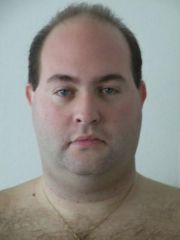
Before and after, a weight loss surgery photo album by dramaboy on BariatricPal. 2 photos in Member Photo Gallery.
-
Hi everyone. My name is Daniel, and I am writing you from Stockolm, Sweden. I did my sleeve the 4th of november, via a privat hosptial, the best 1400 dollar ever spent. My starting wirhgt was 128.6 kg, and now, after almost 10 months, I landes af 88.kg, and i fell great. I love my new body, my new healt and all the new clothes. I went from sia 44 in w in jeans, to almost 36, soont to be 34, and from XXXL to MEDIUM in thshirts. I can run, exercise, I sleep better and dont have pain in my knees and back anymore.... I just love my life:)