Jessica9190
LAP-BAND Patients
-
Joined
-
Last visited
-
-
-
-
-
-
-
-
-
I loved my sample pack. Caribbean Cooker is my favorite so far.
-
-
Ok I finally received my sample packs in the mail. I had forgotten I ordered them. I've tried fuzzy navel and Caribbean cooler both are pretty good. Thanks everyone.
-
Correct. Just wait 30 minutes then drink it.
-
And my carb goal shows 82 definitely too much.
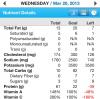 Yeah they are there but not the goals I want. My protein goal shows 22g.I need help with my fitness pal. How can I track my protein and carbs ect and not just my calories? How can I change my protein goals?Good luck!!!!I feel ya Marla. I am almost 8 weeks and I've been at same weight for nearly a week. I am at 202. I just want to get under 200. Eventually I want to get to 150. I started at 244. I was 237 dos. I am glad for the loss but just want to see the scale move.I'm going to try the oh yeah shakes from gnc and see if that makes a difference. I'm so sick of the tummy cramps from trying so hard to reach my protein goal.Definitely call your doctor. I had the same stricture problem and I feel so much better now.My NUT said nothing with seeds for 6 weeks.My nose runs.Thanks.