lousianalady
LAP-BAND Patients
-
Joined
-
Last visited
-
-
-
Oh and one important one... Spoon of peanut butter to get my protein!
-
Wow. You are having a bad month. Ok slim fast, special k, or any other meal replacement. Eating way too soon might put you in trouble that u can't handle right now. There are single mash potatoes and mac n cheese in the store that u add water and micro wave. My fav was puree tomatoes with puree avocado.
-
I was banded, my hobby had pastric bypass 1 month after me. We waited that long so I could feel well enough to take care of him. In both cases we were told 4-6 wks
-
I used Dr Barnes. He is very good and also did my husbands gastric bypass.
-
Shreveport.
-
-
-
-
-
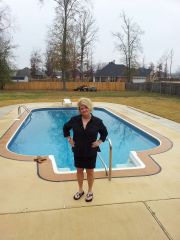
me, a weight loss surgery photo album by lousianalady on BariatricPal. 3 photos in Member Photo Gallery.
-
-
I haven't been on lately. I'm pretty Down. Surgery was 9/20. I have lost 40 lbs and weight 187 now. I workout 1 hr a day. I haven't lost any weight in wks. I'm slacking on my diet. Not cake or anything but portion size etc. Have had the flu for a Wk. Just got back on my elliptical at this moment. I need a fill I'm at 5.9 in a 10 cc. Get another fill on 31 st but really need someone to knock my a** back in gear. Be as harsh as u want!
-
Your insurance should pay if its anyone in the surgeon's office. Have them bill under his name. I have had to use his assistant or doc assistant beforeI was banded Sept 20. I'm down 37 lbs. Had my forth fill today. 5.9 in 10cc band. Current weight 190. You and I are close in everythingI'm having fill 4 right now! Good luck yall !So glad to see you back. I was worried. Hope you feel better. Keep us postedWhy do you have to go so far? There r doctors near you. The post op surgery is so your liver would begin to shrink making it easier to lift during surgery. Our stomach is behind the liver. The diet also cleans you digestive track making surgery easier on you. I would think being that you have lost so much, you would only need to be on liquids a day or two pre op.Just wondering if anyone is in my neck of the woodsI am thinking of you. You will be okay. Said a prayer and hope to see you online again soon