Start here
Where are you in your journey?
Choose the path that fits today. We’ll take you to the most useful discussions.
- GLP-1 medication Zepbound, Wegovy, access, side effects, progress, and support.
- Before surgery Compare procedures, plan ahead, and get honest pre-op answers.
- Post-op Recovery, food stages, symptoms, and support.
- Long-term Regain, labs, habits, and life after the honeymoon.
- Revision Explore revision options, complications, and next steps.

TheDuchess
LAP-BAND Patients
-
Joined
-
Last visited
-
I agree whole heartedly with Kime - Good luck to you finding a new doctor, find one who cares and will treat you right! Seems like the last one has definitely put a bad taste in your mouth, and you need to be surrounded by supportive people, doctors and nurses included.
-
lol This is quite the day! Congrats on getting under 260 (and then not getting punched in the face for being excited) :]
-
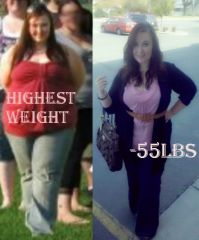
From 315 lbs to 260 lbs :]