




Skip to content
View in the app

A better way to browse. Learn more.

BariatricPal

A full-screen app on your home screen with push notifications, badges and more.

To install this app on iOS and iPadOS
  1. Tap the Share icon in Safari
  2. Scroll the menu and tap Add to Home Screen.
  3. Tap Add in the top-right corner.
To install this app on Android
  1. Tap the 3-dot menu (⋮) in the top-right corner of the browser.
  2. Tap Add to Home screen or Install app.
  3. Confirm by tapping Install.

Join BariatricPal free

  • Ask your own questions
  • Reply and follow topics
  • Message other members
  • No cost, no spam

Mrsrusso

LAP-BAND Patients
  • Joined

  • Last visited

Blog Entries posted by Mrsrusso

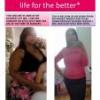
  1. So it has been amost 5 months since I had my VGS surgery. and i am down 82 lbs.
    May 2010 I was at my heaviest 277lbs... eww I know.
    Aug 2010 before my surgery I was 265lbs...still a big number.
    Oct 2010 I was down 32.4 lbs
    Nov 2010 i was down another 24lbs
    Dec 2010-Jan 2011 I aam down another 24.8 lbs.
    I feel so alive and free. I have no problems breathing when I walk for a long time. I'm full of energy and I honestly haven't been working out. Just all the running around I do all day long has definetly paid off. But I plan to start working out asap to tighten my abs and arms.
    The only NEGATIVE thing I have to say about my surgery is that I am losing my hair. My hair seems to be thinning. And I do not believe I am getting the right amount of protein. I will have to work on that.
    Next doctor Appointment is mid February 2011 and I can not wait until I find out how much more I have lost.
     
    My doctor is THE BEST doctor ever, his name is: DR. ALEX GANDSAS
    42 EAST LAUREL ROAD
    STRATFORD, NJ 08084
    856-566-2700.
    www.alexgandsas.com
    ** Yes he does accept medicaid and medicare**


Account

Navigation

Search

Search

Configure browser push notifications

Chrome (Android)
  1. Tap the lock icon next to the address bar.
  2. Tap Permissions → Notifications.
  3. Adjust your preference.
Chrome (Desktop)
  1. Click the padlock icon in the address bar.
  2. Select Site settings.
  3. Find Notifications and adjust your preference.