mistyk73
LAP-BAND Patients
-
Joined
-
Last visited
-
-
Congratulations!!!
-
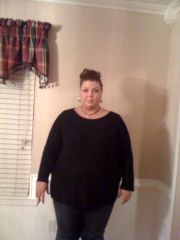
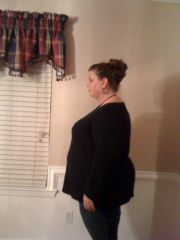
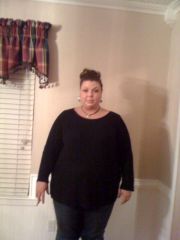
Before and Afters, a weight loss surgery photo album by mistyk73 on BariatricPal. 5 photos in Before and After Gastric Sleeve Photos.
-
I drink the Pure Protein rtd cans. They have 35 grams per 12 ounces. I use the vanilla ones in my morning coffee. I use a half a can per cup of coffee so I sip on them for an hour or so. I don't like the taste of any I have found but when I mix these with my coffee its like I have a great tasting mocha-ish drink!
-
I'm with Lisa...Power Crunch are my faves! The vanilla and cookies and cream are my favorites!
-
-
Awesome job! You look great!
-
I was sleeved the same day as you and I just said the same thing about being able to eat more last week!
-
I just signed up... MistyKay73
-
AWESOME!!!!
-
AMAZING comparison pics! Keep up the good work!
-
I just bought a ready to drink shake from Target called Pure Protein in vanilla. The counts on it are pretty darn good, 23 grams of protein vs. 30 of the Premier Protein from costco. Anyway, I bought the vanilla and use about a 1/4 c. in my mugs of coffee. It makes it taste like a french vanilla creamer and I'm getting extra protein. It doesn't take long for those to add up. I would never suggest this be your ONLY way to have a Protein Drink but it will supplement your total intake. Good luck!
-
Congrats! I hope you had a blast!
-
Great pics! You have done an amazing job!!!
-
Congrats!!!!
-
This is awesome!!! Congrats on all of the weight loss!!!
-
I am uninsured. I paid out of pocket at the same facility $12,500. I am in total agreement with your post. THIS is what is wrong with our system. I get angry when I think about it. And another thing...since I was a self-pay, the only pre-op test I was required to have was a stress test which cost me $300. I had no problems paying because I sure didn't want to have issues with my heart and risk having surgery. But on the other hand, why did EVERY person I met and talked to who had insurance have to have scopes, sleep studies, etc....was it just to bleed more money out of the insurance companies? There is a HUGE difference in $12,500 and $83,000, I'm just saying!!!! But I will say, I was extremely happy with the care I received and with my surgeon...if that helps...lol