






Skip to content
View in the app

A better way to browse. Learn more.

BariatricPal

A full-screen app on your home screen with push notifications, badges and more.

To install this app on iOS and iPadOS
  1. Tap the Share icon in Safari
  2. Scroll the menu and tap Add to Home Screen.
  3. Tap Add in the top-right corner.
To install this app on Android
  1. Tap the 3-dot menu (⋮) in the top-right corner of the browser.
  2. Tap Add to Home screen or Install app.
  3. Confirm by tapping Install.

Join BariatricPal free

  • Ask your own questions
  • Reply and follow topics
  • Message other members
  • No cost, no spam

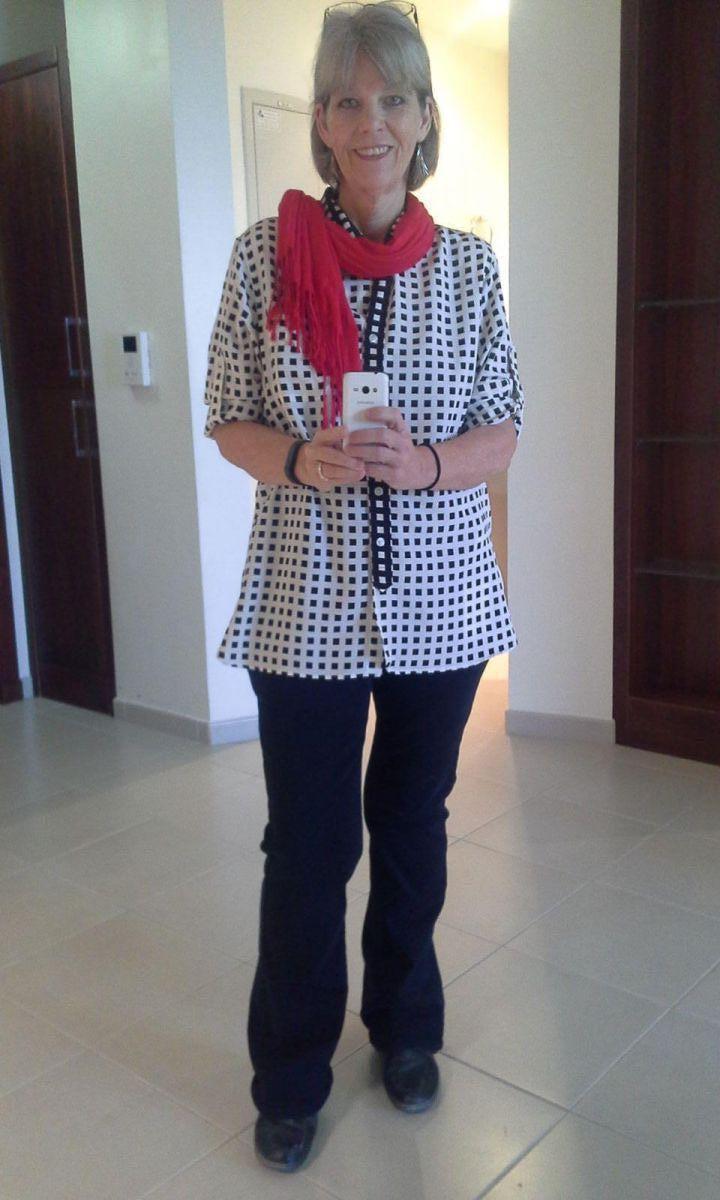
20141030 After

Living in Doha, Qatar now I don't really have a chance to get on the forum very often. Although I struggle to find anything that resembles what I was eating at home, I still continue to do well on maintaining, and even occasionally losing. I'm still 3 lbs away from "Normal" but so very happy. I move around a lot more comfortably, and almost never feel as if I'm taking up too much space in the world. :-) My only struggles are with the loose skin, which doesn't bother me much except on my face and neck. Still...I'm so very happy with my progress and continue to LOVE, LOVE, LOVE my sleeve!

  • From the album:

    Bea Amaya

    · 3 images

    Photo Information

    • Taken with SAMSUNG SM-G313F
    • Focal Length 3.3 mm
    • Exposure Time 1/8
    • Aperture f/2.6
    • ISO Speed 160

    Account

    Navigation

    Search

    Search

    Configure browser push notifications

    Chrome (Android)
    1. Tap the lock icon next to the address bar.
    2. Tap Permissions → Notifications.
    3. Adjust your preference.
    Chrome (Desktop)
    1. Click the padlock icon in the address bar.
    2. Select Site settings.
    3. Find Notifications and adjust your preference.