





Skip to content
View in the app

A better way to browse. Learn more.

BariatricPal

A full-screen app on your home screen with push notifications, badges and more.

To install this app on iOS and iPadOS
  1. Tap the Share icon in Safari
  2. Scroll the menu and tap Add to Home Screen.
  3. Tap Add in the top-right corner.
To install this app on Android
  1. Tap the 3-dot menu (⋮) in the top-right corner of the browser.
  2. Tap Add to Home screen or Install app.
  3. Confirm by tapping Install.

Join BariatricPal free

  • Ask your own questions
  • Reply and follow topics
  • Message other members
  • No cost, no spam

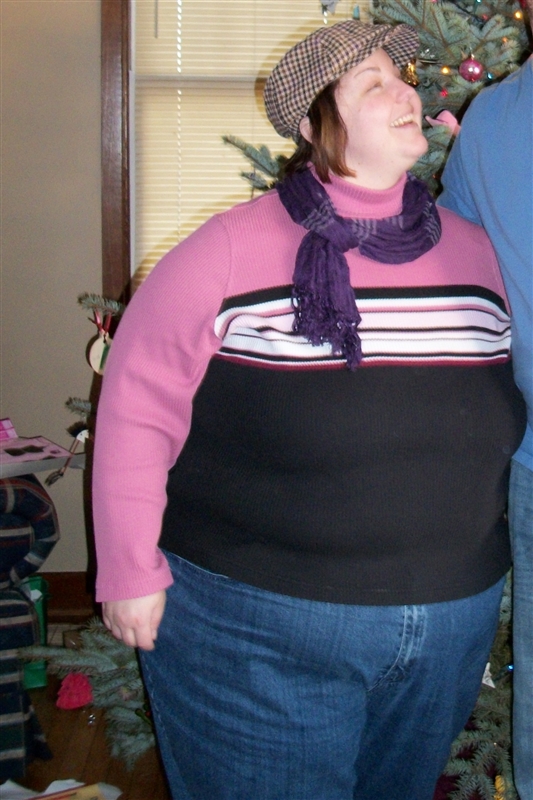
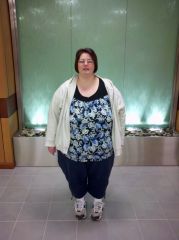
heaviest?! i think

I can't find the picture that i use as my completely before picture (have had a laptop crash) but i'm pretty sure this was the Christmas of that year. Which would have only been maybe a month or so since my initial consultation. I'm guessing that I would have been close to 380 in this picture

  • From the album:

    Before & After

    · 6 images

    Photo Information

    • Taken with EASTMAN KODAK COMPANY KODAK EASYSHARE C182 Digital Camera
    • Focal Length 5.7 mm
    • Exposure Time 33333/1000000
    • Aperture f/2.9
    • ISO Speed 160

    Account

    Navigation

    Search

    Search

    Configure browser push notifications

    Chrome (Android)
    1. Tap the lock icon next to the address bar.
    2. Tap Permissions → Notifications.
    3. Adjust your preference.
    Chrome (Desktop)
    1. Click the padlock icon in the address bar.
    2. Select Site settings.
    3. Find Notifications and adjust your preference.
