Skip to content
View in the app

A better way to browse. Learn more.

BariatricPal

A full-screen app on your home screen with push notifications, badges and more.

To install this app on iOS and iPadOS
  1. Tap the Share icon in Safari
  2. Scroll the menu and tap Add to Home Screen.
  3. Tap Add in the top-right corner.
To install this app on Android
  1. Tap the 3-dot menu (⋮) in the top-right corner of the browser.
  2. Tap Add to Home screen or Install app.
  3. Confirm by tapping Install.

Salt and Pepper Shaker

blog-0385559001447973185.jpg

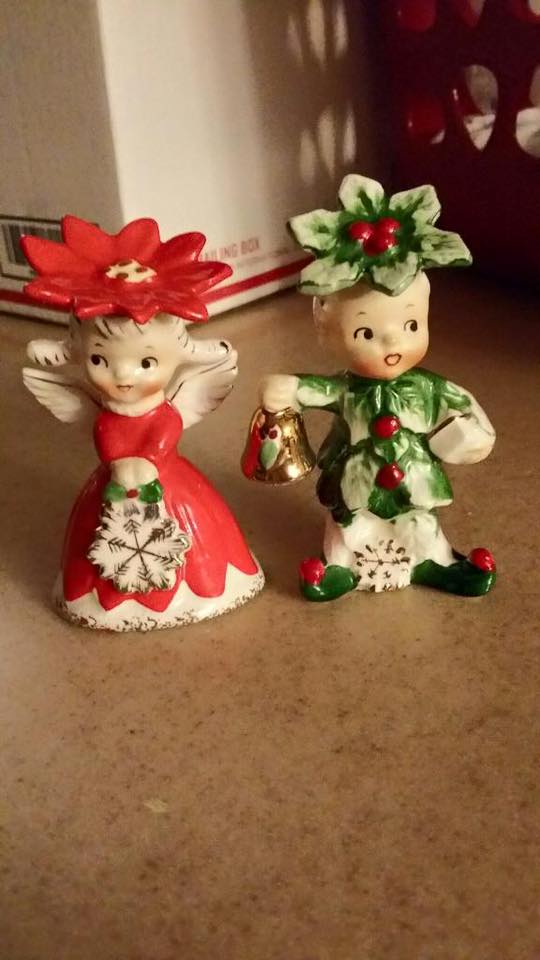
So we are on day 3 after my ankle surgery and i am not a very happy camper,in a lot of pain and extremely tired. The only plus side is when I get things i ordered in the mail. Today i received these lovely antique christmas salt and pepper shakers to add to my collection. Since I am not feeling the greatest i am not making this post long just sharing what i got in the mail today. Hopefully I will feel better tomorrow so I can make a full blog post!

0 Comments

Recommended Comments

There are no comments to display.

Guest
Add a comment...

Account

Navigation

Search

Search

Configure browser push notifications

Chrome (Android)
  1. Tap the lock icon next to the address bar.
  2. Tap Permissions → Notifications.
  3. Adjust your preference.
Chrome (Desktop)
  1. Click the padlock icon in the address bar.
  2. Select Site settings.
  3. Find Notifications and adjust your preference.