Skip to content
View in the app

A better way to browse. Learn more.

BariatricPal

A full-screen app on your home screen with push notifications, badges and more.

To install this app on iOS and iPadOS
  1. Tap the Share icon in Safari
  2. Scroll the menu and tap Add to Home Screen.
  3. Tap Add in the top-right corner.
To install this app on Android
  1. Tap the 3-dot menu (⋮) in the top-right corner of the browser.
  2. Tap Add to Home screen or Install app.
  3. Confirm by tapping Install.
  • Appearance

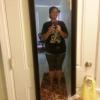
current progress photo

I wanted to FINALLY post a pic. The before picture is a couple days after surgery...probably about 300 pounds. In progress photo is my current picture (on my way to the gym) at 208. I am 5'6" My highest weight was 311 before surgery, but got down to 298 on my 1 week liquid diet for surgery day.


11 Comments

Recommended Comments

Arts137

Gastric Sleeve Patients

loverly, and great job!

mokee

Gastric Sleeve Patients

You are doing great, keep up the good work.

Momonanomo

Gastric Sleeve Patients

Omg look how cute you are! Can totally tell you work out - your posture is nice & strong. Im sure thats also confidence! You've done such an amazing job!

Pixie Dust

Gastric Sleeve Patients

Beautiful!! Congratulations & thanks for sharing!

Jerzygurl

Gastric Sleeve Patients

Most excellent!

TJL

Gastric Sleeve Patients

You look great, keep it up!

LifetimeLoser

Gastric Sleeve Patients

Thank you everyone!

M_8ankz

Gastric Sleeve Patients

I hope you are so pleased with your progress! Keep up the good work!

LifetimeLoser

Gastric Sleeve Patients

I hope you are so pleased with your progress! Keep up the good work!

I am very pleased with my progress. I know there are still aspects of my "diet" I need to work on, but such is life. Things can never be perfect 100% of the time. Thanks!

Guest
Add a comment...

Account

Navigation

Search

Search

Configure browser push notifications

Chrome (Android)
  1. Tap the lock icon next to the address bar.
  2. Tap Permissions → Notifications.
  3. Adjust your preference.
Chrome (Desktop)
  1. Click the padlock icon in the address bar.
  2. Select Site settings.
  3. Find Notifications and adjust your preference.