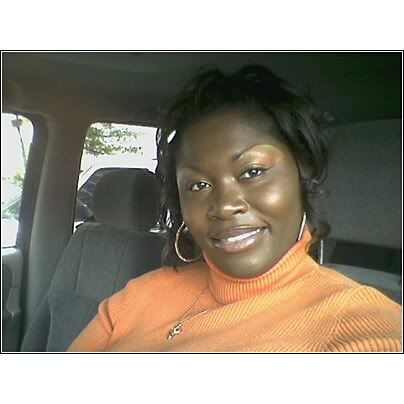
Me Today Share https://www.bariatricpal.com/blogs/entry/3207-me-today/ Share via email Share on Facebook Share on X Share on Reddit More sharing options... Followers Me about three weeks before surgery! Me about two weeks ago! Here I am TODAY!!
sheilamj1fan LAP-BAND Patients February 27, 200719 yr Author stats Me about three weeks before surgery! Me about two weeks ago! Here I am TODAY!!
tammyj LAP-BAND Patients February 28, 200719 yr Author stats You are gorgeous!!!! Look at those eyes...I love your make-up! I can definitely see a difference in your cheekbones.
Teresita LAP-BAND Patients February 28, 200719 yr Author stats Oh my precious God. You look absolutely wonderful. You were already beautiful but now ....just WOW. We all know how it feels when you feel better about yourself. I can just see the love for yourself from within.
sheilamj1fan LAP-BAND Patients February 28, 200719 yr Author stats Thank you so much ladies!! I feel really really good. Be Blessed!
pamla68 LAP-BAND Patients February 28, 200719 yr Author stats OMG Sheila you look wonderful! Simply devine! That is so motivational.









Recommended Comments