



Skip to content
View in the app

A better way to browse. Learn more.

BariatricPal

A full-screen app on your home screen with push notifications, badges and more.

To install this app on iOS and iPadOS
  1. Tap the Share icon in Safari
  2. Scroll the menu and tap Add to Home Screen.
  3. Tap Add in the top-right corner.
To install this app on Android
  1. Tap the 3-dot menu (⋮) in the top-right corner of the browser.
  2. Tap Add to Home screen or Install app.
  3. Confirm by tapping Install.

Hard, But It's Working!
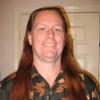
Starting Day 6 of liquid diet. It's not easy; but I've been fairly active and not cheating, so that 800 calorie limit is making the weight fall off. I've lost almost 10 pounds since Monday! Seeing those results makes it a little easier. I can remember losing a few pound in past and then justifying something I shouldn't eat and undoing most of my hard work. I pray I never again adopt that mindset.

2 Comments

Recommended Comments

kamrie37

LAP-BAND Patients

You are doing awesome! Congrats on the 10..

Tell Kansas I said hello.. I grew up there. I miss it. :)

KS Fort Worth

LAP-BAND Patients

Thanks! Hate to disappoint you, but "KS" is my initials. I've never been to Kansas. My daughter has, and Kansas is one of my favorite bands, if that helps... :)

Guest
Add a comment...

Account

Navigation

Search

Search

Configure browser push notifications

Chrome (Android)
  1. Tap the lock icon next to the address bar.
  2. Tap Permissions → Notifications.
  3. Adjust your preference.
Chrome (Desktop)
  1. Click the padlock icon in the address bar.
  2. Select Site settings.
  3. Find Notifications and adjust your preference.