



Skip to content
View in the app

A better way to browse. Learn more.

BariatricPal

A full-screen app on your home screen with push notifications, badges and more.

To install this app on iOS and iPadOS
  1. Tap the Share icon in Safari
  2. Scroll the menu and tap Add to Home Screen.
  3. Tap Add in the top-right corner.
To install this app on Android
  1. Tap the 3-dot menu (⋮) in the top-right corner of the browser.
  2. Tap Add to Home screen or Install app.
  3. Confirm by tapping Install.

Approved Approved Approved
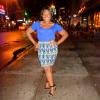
The best part?

That I want to celebrate by going to the gym, not eating a million course meal!

Its been a long time, but I did it, which means I can do it, and anything else I put my mind to. I have never been so happy in my life, I have to take my nails off but thats the lest of my worries, I just, its a great feeling!

5 Comments

Recommended Comments

phatkatblue

LAP-BAND Patients

congrats on your approval!

Rebecca Cain Salpacka

LAP-BAND Patients

awesome, congrats. I was reading your post, and sounds just like i felt when i found out. Its a great feeling

Rosario_35

LAP-BAND Patients

Hi! how long did it take to get the approval???

bbbanded

LAP-BAND Patients

Rosaria sorry for the late response, but this is my second time applying and I submitted everything on Friday afternoon, and was approved by the following Tuesday morning.

Guest
Add a comment...

Account

Navigation

Search

Search

Configure browser push notifications

Chrome (Android)
  1. Tap the lock icon next to the address bar.
  2. Tap Permissions → Notifications.
  3. Adjust your preference.
Chrome (Desktop)
  1. Click the padlock icon in the address bar.
  2. Select Site settings.
  3. Find Notifications and adjust your preference.