



Skip to content
View in the app

A better way to browse. Learn more.

BariatricPal

A full-screen app on your home screen with push notifications, badges and more.

To install this app on iOS and iPadOS
  1. Tap the Share icon in Safari
  2. Scroll the menu and tap Add to Home Screen.
  3. Tap Add in the top-right corner.
To install this app on Android
  1. Tap the 3-dot menu (⋮) in the top-right corner of the browser.
  2. Tap Add to Home screen or Install app.
  3. Confirm by tapping Install.

My First 20!

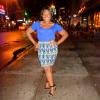
Officially down 20 lbs, and it seems like the whole world is noticing!

This feels awsome, I'm 3 weeks away from surgery and excited as ever. Took a leave from the gym for a while but I'm in action.


Two must be my lucky number haha, got a 2% raise at my job, not much, but its a part time job, and I'm in college, I'll take anything I can get! Anyway, I've been doing so well!


Sad note, I got a dog a week ago, fell in love with her, and now shes back at the shelter :( It's ok shes in a good place.


hmmm what else...Boyfriend -_-, Franky that miserable pia, gotta love him.

Blah I think thats all, Im working right now, or hardly anyway. Bye guys

1 Comment

Recommended Comments

phatkatblue

LAP-BAND Patients

wtg on your first 20!

Guest
Add a comment...

Account

Navigation

Search

Search

Configure browser push notifications

Chrome (Android)
  1. Tap the lock icon next to the address bar.
  2. Tap Permissions → Notifications.
  3. Adjust your preference.
Chrome (Desktop)
  1. Click the padlock icon in the address bar.
  2. Select Site settings.
  3. Find Notifications and adjust your preference.