




Skip to content
View in the app

A better way to browse. Learn more.

BariatricPal

A full-screen app on your home screen with push notifications, badges and more.

To install this app on iOS and iPadOS
  1. Tap the Share icon in Safari
  2. Scroll the menu and tap Add to Home Screen.
  3. Tap Add in the top-right corner.
To install this app on Android
  1. Tap the 3-dot menu (⋮) in the top-right corner of the browser.
  2. Tap Add to Home screen or Install app.
  3. Confirm by tapping Install.

More progress pictures.
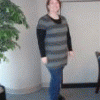
It is unbelievable how busy I am at work this week, so this blog entry will have to be quick. :-) I hope to get caught up on all my blog reading tonight!!


I'm meeting my sorority little sis for dinner tonight. It will be the first time we have seen each other in almost 15 years!! We reconnected through Facebook and figured out that we both live in the DFW area. That was over a year ago!! But we are finally getting together and I'm so excited. I can tell through her FB posts that she has lost a lot of weight this year and she has really been working at it. She's been an inspiration to me! Her pictures now look like the same Shannon I knew in college. :-)


As promised I'm attaching my spandex progress pics. The changes are definitely more subtle, but I can tell that the once "sausage casing-like" shirt is now getting baggy. Yay! Plus, I'm starting to have a break between my chest and belly, so that's nice.


Have a great day everyone! Hope to catch up more tomorrow.

5 Comments

Recommended Comments

HEALTHY111

LAP-BAND Patients

Wowzer!! You are making excellent progress, Great job! What an inspiration thank you for sharing your pics!

ladybug on a mission

LAP-BAND Patients

These pics are amazing!! Thanks for the inspiration!

marw

LAP-BAND Patients

Wow! Great work . . and it's clear that you ARE working!! Good for you and thanks for sharing.

qtney1

LAP-BAND Patients

You look FANTASTIC!

BandedKitten

LAP-BAND Patients

Looking at your pics reminded me of why I'm going to be banded later this month. I needed to see it! thanks!

Guest
Add a comment...

Account

Navigation

Search

Search

Configure browser push notifications

Chrome (Android)
  1. Tap the lock icon next to the address bar.
  2. Tap Permissions → Notifications.
  3. Adjust your preference.
Chrome (Desktop)
  1. Click the padlock icon in the address bar.
  2. Select Site settings.
  3. Find Notifications and adjust your preference.