




- https://www.bariatricpal.com/uploads/ab8d87270dbc9ffc92582032dc64ffd8.jpg
- http://www.mybariatriclife.org
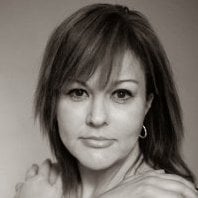
Cheryl Ann Borne, writing as My Bariatric Life, is an obesity health activist and Paleo recipe developer. She grew from a fit teen to a morbidly obese processed food junkie and couch potato on ~10 prescription medications for diabetes, celiac disease, depression, acid reflux, asthma, and hypertension. Since 2003 she’s maintained massive weight loss from gastric bypass surgery and remains free from 9 of the prescriptions. In 2013 My Bariatric Life underwent total body contouring and facial plastic surgeries to remove the last traces of her obesity. She inspires patients with outstanding resources and by sharing her long-term success in defeating obesity and its related illnesses. Today, My Bariatric Life is a size 2 down from a size 24W and living larger than ever! See My Bariatric Life’s amazing transformation video.
Cheryl’s passion is transforming healthcare. She has a long and successful career as a digital health strategist and change agent within the life sciences field. Cheryl holds degrees in communications and graphic design and resides in Indianapolis IN and the Princeton NJ area.
Recommended Comments