




- https://www.bariatricpal.com/uploads/f1a96dc1c4a807c6983e3635fe57a033.jpg
- http://www.livingthinwithin.net/
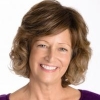
Hi, I'm Jill Temkin, MA, weight loss surgery (WLS) recipient, aftercare expert, and founder of Living Thin Within. After 30 years of professional experience in behavioral health and addiction, where I designed and facilitated a wide variety of innovative and practical experiential counseling and training programs, I decided to start Living Thin Within.
I understand from the inside out what it takes to let go of 82 pounds and 110 inches, and transform a lifetime of limiting beliefs into a life filled with energizing and expansive possibilities. My mission is to help other women do the same, so they can thrive in their new bodies and radiate health from within.
I hold a Master’s Degree in psychology , am a nationally certified psychodrama Trainer, Educator and Practitioner (TEP), and a Registered Addiction Specialist (RAS).
I created Living Thin Within to help transform negative self-talk into compassionate self-expression, so you can build nourishing connections between yourself and others. Simply put, I help people move from conflict to connection and create lasting change. I’m dedicated to teaching you how to develop an internal reservoir of self-empathy, so you have a firm foundation from which to move forward.
To learn more about Living Thin Within, go to: www.livingthinwithin.net
To schedule a 30-minute complimentary conversation with me to see how I can help you to reach your WLS goals, go to @: https://www.timetrade.com/book/TV6PM
Recommended Comments