




Skip to content
View in the app

A better way to browse. Learn more.

BariatricPal

A full-screen app on your home screen with push notifications, badges and more.

To install this app on iOS and iPadOS
  1. Tap the Share icon in Safari
  2. Scroll the menu and tap Add to Home Screen.
  3. Tap Add in the top-right corner.
To install this app on Android
  1. Tap the 3-dot menu (⋮) in the top-right corner of the browser.
  2. Tap Add to Home screen or Install app.
  3. Confirm by tapping Install.

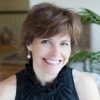
Elizabeth Anderson MA, RDN, LD

  • https://www.bariatricpal.com/uploads/d3a907869adeb1a669b4da4b804e765c.jpg
  • http://www.crackerjacknutrition.com/medium-alternate/
  • http://www.crackerjacknutrition.com

Elizabeth Anderson is a private practice bariatric dietitian. She sees clients online all across the country. She loves frozen peas and dark chocolate--but not in that order.

For Bariatric Pal readers, Elizabeth's offering 50% off her video series Bariatric Reboot. Reg $199 now $99 with the promo code PAL now through 1/31/17. Find it on her website; www.crackerjacknutrition.com

User Feedback

Recommended Comments

There are no comments to display.

Account

Navigation

Search

Search

Configure browser push notifications

Chrome (Android)
  1. Tap the lock icon next to the address bar.
  2. Tap Permissions → Notifications.
  3. Adjust your preference.
Chrome (Desktop)
  1. Click the padlock icon in the address bar.
  2. Select Site settings.
  3. Find Notifications and adjust your preference.