Skip to content
View in the app

A better way to browse. Learn more.

BariatricPal

A full-screen app on your home screen with push notifications, badges and more.

To install this app on iOS and iPadOS
  1. Tap the Share icon in Safari
  2. Scroll the menu and tap Add to Home Screen.
  3. Tap Add in the top-right corner.
To install this app on Android
  1. Tap the 3-dot menu (⋮) in the top-right corner of the browser.
  2. Tap Add to Home screen or Install app.
  3. Confirm by tapping Install.

Good Morning

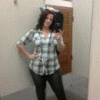
My name is Priscilla , I had Surgery on 1/11/2007 since then i have lost about 118 lbs give or take from day to day . I wouldnt not trade my band for anything ! I have gone from a size 22- 24 to a wonderfull size 10 . I do struggle now and then and have had some minor problems , but over all it is the best thing i could have ever done ....

  • Replies 3
  • Views 730
  • Created
  • Last Reply

Top Posters In This Topic

Featured Replies

My name is Priscilla , I had Surgery on 1/11/2007 since then i have lost about 118 lbs give or take from day to day . I wouldnt not trade my band for anything ! I have gone from a size 22- 24 to a wonderfull size 10 . I do struggle now and then and have had some minor problems , but over all it is the best thing i could have ever done ....

Hi Priscilla

many congratulations for what you've achieved since being banded. your success is phenomenal and a big encouragement.

I am having my op for a band in 2 wks. I'm a little nervous and also at the back of my mind I'm worrying incase it makes no difference to how much I can eat! I really want this to work.

If you have any useful tips or advice for me in the early days post band I'd be grateful. thanks

Julia x

Join the conversation

You can post now and register later. If you have an account, sign in now to post with your account.

Guest
Reply to this topic...

Trending Products

PatchAid Vitamin Patches

Account

Navigation

Search

Search

Configure browser push notifications

Chrome (Android)
  1. Tap the lock icon next to the address bar.
  2. Tap Permissions → Notifications.
  3. Adjust your preference.
Chrome (Desktop)
  1. Click the padlock icon in the address bar.
  2. Select Site settings.
  3. Find Notifications and adjust your preference.