Skip to content
View in the app

A better way to browse. Learn more.

BariatricPal

A full-screen app on your home screen with push notifications, badges and more.

To install this app on iOS and iPadOS
  1. Tap the Share icon in Safari
  2. Scroll the menu and tap Add to Home Screen.
  3. Tap Add in the top-right corner.
To install this app on Android
  1. Tap the 3-dot menu (⋮) in the top-right corner of the browser.
  2. Tap Add to Home screen or Install app.
  3. Confirm by tapping Install.
  • Appearance

Join BariatricPal free

  • Ask your own questions
  • Reply and follow topics
  • Message other members
  • No cost, no spam

One Year Bandiversary Pics ...

Our year is here!! :lol:

I can't wait to see all the wonderful pictures of our Junies!! My date is 6/25 so I'll be waiting till then :thumbup:

Any celebrations/rewards planned?

Gen (wombat)

  • Replies 23
  • Views 3.6k
  • Created
  • Last Reply

Top Posters In This Topic

Posted Images

Featured Replies

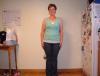
My bandiversary is actually June 18th--but I will be very busy...so I'm posting today. This year has been quite a journey--the love, support, encouragement and info provided by my "friends" at LBT has be tremendous!!! Smooches to all. Here are my updated pix ( I hope!!!)

Attached Thumbnails14020d1213577714t-june-2007-bandsters-preband4.jpg 14021d1213577734t-june-2007-bandsters-6moband2.jpg 14022d1213577748t-june-2007-bandsters-6moband3.jpg 14023d1213577769t-june-2007-bandsters-img_0394.jpg 14024d1213577793t-june-2007-bandsters-img_0395.jpg

__________________

You look great Karla, good job

Join the conversation

You can post as a guest; create a free account to track replies, follow topics, and be part of the largest weight loss surgery community.

Join the conversation

You can post now and register later. If you have an account, sign in now to post with your account.

Guest
Reply to this topic...

Account

Navigation

Search

Search

Configure browser push notifications

Chrome (Android)
  1. Tap the lock icon next to the address bar.
  2. Tap Permissions → Notifications.
  3. Adjust your preference.
Chrome (Desktop)
  1. Click the padlock icon in the address bar.
  2. Select Site settings.
  3. Find Notifications and adjust your preference.