Skip to content
View in the app

A better way to browse. Learn more.

BariatricPal

A full-screen app on your home screen with push notifications, badges and more.

To install this app on iOS and iPadOS
  1. Tap the Share icon in Safari
  2. Scroll the menu and tap Add to Home Screen.
  3. Tap Add in the top-right corner.
To install this app on Android
  1. Tap the 3-dot menu (⋮) in the top-right corner of the browser.
  2. Tap Add to Home screen or Install app.
  3. Confirm by tapping Install.

Virtual Weight Loss Simulator

  • Replies 22
  • Views 16k
  • Created
  • Last Reply

Top Posters In This Topic

Posted Images

Featured Replies

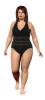
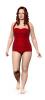
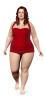
I can't figure out how to post the after image but I have to tell you that I would give myself a hysterectomy with a meat fork to look even remotely like the "me now" photo at 325 pounds. I think they need to add a whole lot more width and girth to the before picture which you will find below.

:lol:

post-226801-13813136838855_thumb.jpg

There is definitely a min and max on there. At my height 260 looks exactly the same as 350. I thought my current weight (282) looked too small, so I plugged in a bunch of extremes. I think 260 is the max at 5'6".

Join the conversation

You can post now and register later. If you have an account, sign in now to post with your account.

Guest
Reply to this topic...

Trending Products

PatchAid Vitamin Patches

Account

Navigation

Search

Search

Configure browser push notifications

Chrome (Android)
  1. Tap the lock icon next to the address bar.
  2. Tap Permissions → Notifications.
  3. Adjust your preference.
Chrome (Desktop)
  1. Click the padlock icon in the address bar.
  2. Select Site settings.
  3. Find Notifications and adjust your preference.