




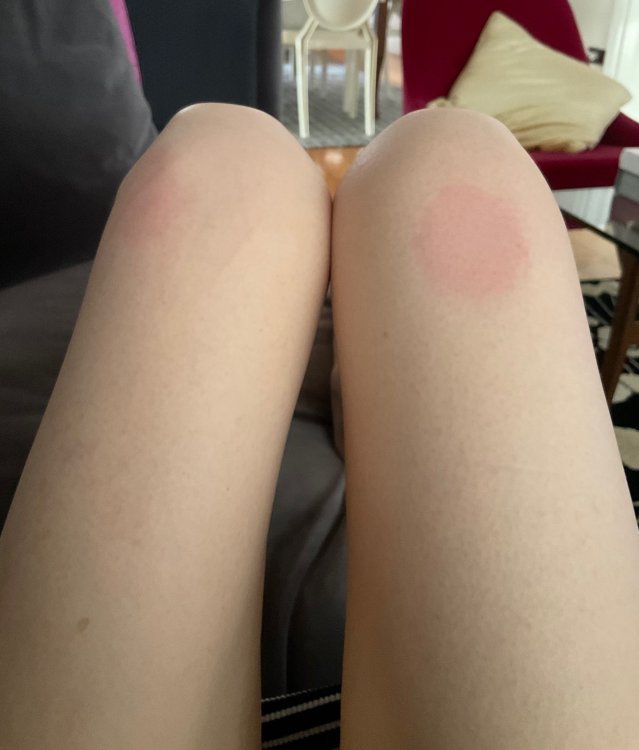
I’m curious how your thighs looked after surgery? I’ve always had big thighs and I’m lm looking forward to wearing short skirts this summer... wondering how everyone’s thighs looked after losing 100 pounds??
Thighs after weight loss
- Replies 16
- Views 2.5k
- Created
- Last Reply
Top Posters In This Topic
-
ms.sss 3 posts
-
kristieshannon 2 posts
-
BigSue 2 posts
-
brwneyedgrl96 2 posts



Popular Days
Most Popular Posts
-
I lost roughly 120 lbs. I took measurements, and the widest part of my right thigh measured at 29" two weeks before surgery. After the loss, they measure at 17". As a whole, my things look ok-ish
-
Me too. I get a lot of compliments about my porcelain skin so I love it. My legs are slim - I have thigh gap whoo hoo - but I do have saggy skin on my upper inner thighs like a lot of others &am
-
I am almost 7 months out and down over 100 pounds. I have exercised a lot since surgery, including lots of strength training. I have pockets of loose skin and underlying fat at the top of my inner thi


Posted Images
Featured Replies
Join the conversation
You can post as a guest; create a free account to track replies, follow topics, and be part of the largest weight loss surgery community.