Skip to content
View in the app

A better way to browse. Learn more.

BariatricPal

A full-screen app on your home screen with push notifications, badges and more.

To install this app on iOS and iPadOS
  1. Tap the Share icon in Safari
  2. Scroll the menu and tap Add to Home Screen.
  3. Tap Add in the top-right corner.
To install this app on Android
  1. Tap the 3-dot menu (⋮) in the top-right corner of the browser.
  2. Tap Add to Home screen or Install app.
  3. Confirm by tapping Install.

It's time! Pics included

  • Popular Post

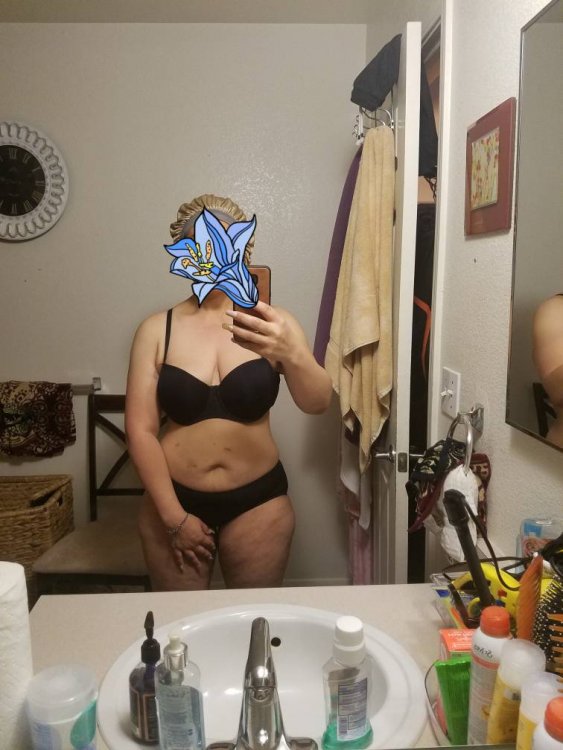
Hello, everyone, I had Gastric Bypass a little over a year ago it's scary for me to do this but I figured it was time to show my progress so far maybe it will let others know that you will get there in time patient. I'm not at my goal yet but I'm healthy.20181017_092459.jpeg20181017_110144.jpeg
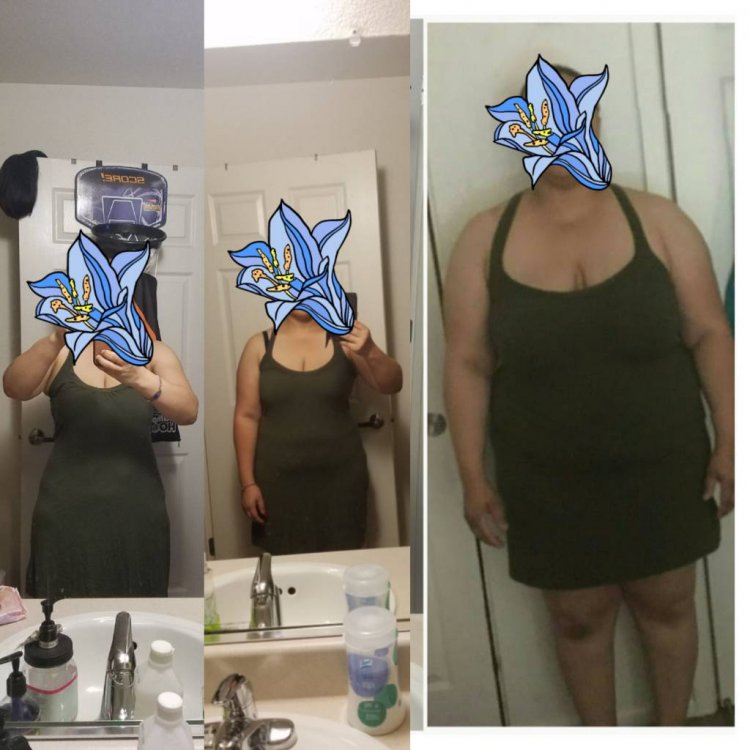
Sent from my SM-G935T using BariatricPal mobile app

  • Replies 5
  • Views 1.1k
  • Created
  • Last Reply

Top Posters In This Topic

Most Popular Posts

  • you @Beautiful Diamonds look amazing!!!!!!!!!!!!! look at you!!!!!! This gives me hope that I may be half as successful as you!!!!!

  • GreenTealael
    GreenTealael

    I want to look like this when i grow up! Congrats!!!

  • Beautiful Diamonds
    Beautiful Diamonds

    Thank you guys that's really sweet. Sent from my SM-G935T using BariatricPal mobile app

Posted Images

Featured Replies

you @Beautiful Diamonds look amazing!!!!!!!!!!!!! look at you!!!!!!

This gives me hope that I may be half as successful as you!!!!!

5 hours ago, Beautiful Diamonds said:

Hello, everyone, I had Gastric Bypass a little over a year ago it's scary for me to do this but I figured it was time to show my progress so far maybe it will let others know that you will get there in time patient. I'm not at my goal yet but I'm healthy.20181017_092459.jpeg20181017_110144.jpeg

Sent from my SM-G935T using BariatricPal mobile app

I want to look like this when i grow up!

Congrats!!!

Join the conversation

You can post now and register later. If you have an account, sign in now to post with your account.

Guest
Reply to this topic...

Trending Products

PatchAid Vitamin Patches

Account

Navigation

Search

Search

Configure browser push notifications

Chrome (Android)
  1. Tap the lock icon next to the address bar.
  2. Tap Permissions → Notifications.
  3. Adjust your preference.
Chrome (Desktop)
  1. Click the padlock icon in the address bar.
  2. Select Site settings.
  3. Find Notifications and adjust your preference.