




progress pics - 5 months post op
- Replies 16
- Views 2.8k
- Created
- Last Reply
Top Posters In This Topic
-
1234567890 1 post
-
Maggie1955 1 post
-
M.A. 1 post
-
Sprinkles1 1 post



Most Popular Posts
-
Awesome! We have similar stats. I started out at 220 lbs and right now I am at 178! You look great!
-
Congrats! You look amazing, it takes a lot of hard work to get where you are. You should be proud! I’m on stage two, starting 3 on the 27th. I started at 256 and weigh 212lbs now. Feels good to be he
-
You're so cute [emoji7] you're doing great!! You got this. Sent from my SM-G955U using BariatricPal App


Posted Images

Featured Replies
Join the conversation
You can post as a guest; create a free account to track replies, follow topics, and be part of the largest weight loss surgery community.
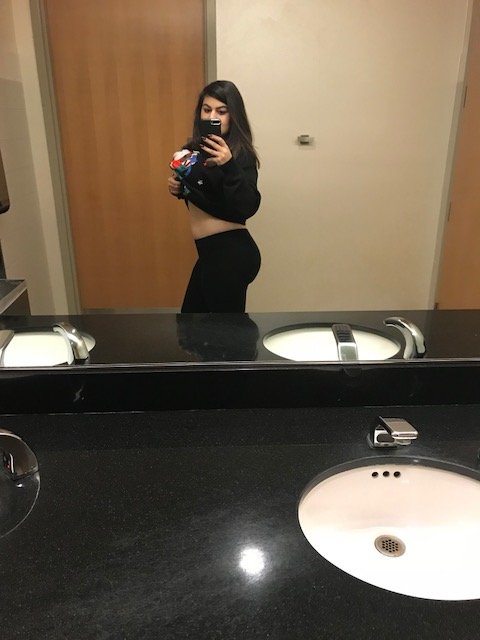
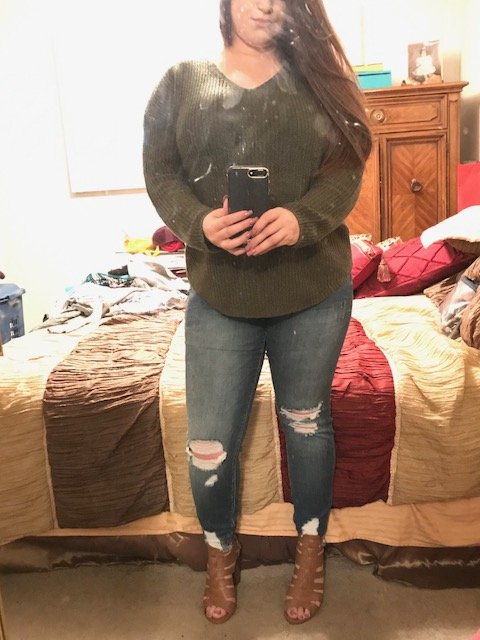
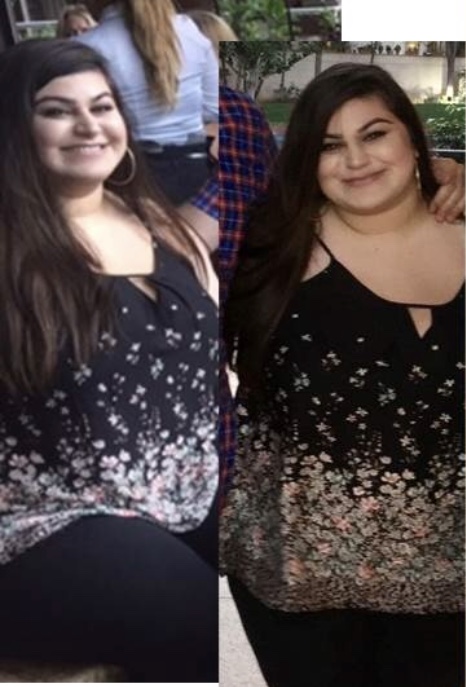
So the last 5 months have been a journey for me, and as the year ends, I just want to share some progress pics. My heighest weight was 228lbs and I am 178lbs 5 months post op - 50lbs down. I am going to be taking this weight loss journey even more seriously going into 2018 and making fitness a goal. I want to get in the best shape of my life in 2018. I still struggle with body issues and insecurities and feel absolutely terrible about myself a lot of the time, but I'm learning confidence and self-love during this process and here's some pics from before surgery at my biggest and current selfies I've taken of my progress...